Dyspatch
Dyspatch는 코드를 작성할 필요 없이 아름답고 반응형이며 매력적인 이메일을 만들 수 있는 직관적인 드래그 앤 드롭 이메일 작성기를 제공합니다. 팀과 협업하여 Dyspatch 내에서 이메일을 만들고 승인한 다음, 몇 단계만으로 Braze로 내보낼 수 있습니다!
이 통합은 Dyspatch에서 유지 관리합니다.
통합 소개
Dyspatch와 Braze 통합을 사용하면 Dyspatch 이메일 템플릿을 Braze로 직접 내보내 이메일 생성 라이프사이클을 간소화할 수 있습니다.
필수 조건
| 요구 사항 | 설명 |
|---|---|
| Dyspatch 계정 | 이 파트너십을 활용하려면 소유자 또는 관리자 역할이 있는 Dyspatch 계정이 필요합니다. |
| Braze REST API 키 | 전체 Templates 권한이 있는 Braze REST API 키. Braze 대시보드의 Settings > API Keys에서 생성할 수 있습니다. |
통합
Braze와 Dyspatch 통합을 사용하면 Dyspatch 이메일 템플릿을 Braze 미디어 라이브러리로 직접 내보내거나 템플릿을 다운로드하여 수동으로 업로드할 수 있습니다.
1단계: Braze 통합 생성
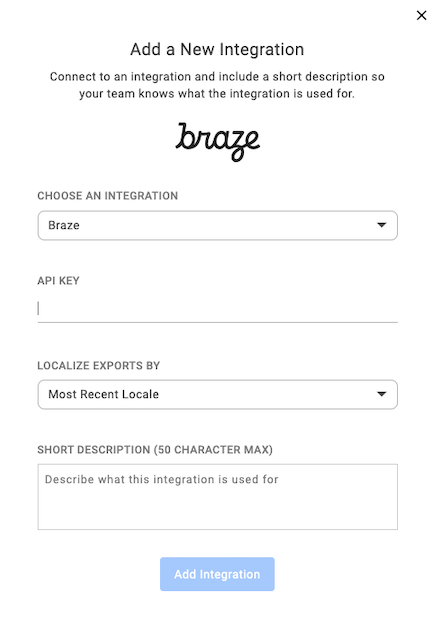
Dyspatch 관리 포털에서 사용자 이름 드롭다운 메뉴를 열고 Integrations를 선택합니다. 새 통합을 생성하고 Braze를 선택한 다음 Braze API 키를 입력합니다.
Localize Exports By 필드에서 현지화를 관리하는 방법을 선택할 수 있습니다. 이 필드를 사용하면 이메일 템플릿을 현지화하고 Braze로 내보내 언어 또는 로케일별로 개인화된 이메일을 쉽게 보낼 수 있습니다.
2단계: Braze로 템플릿 내보내기
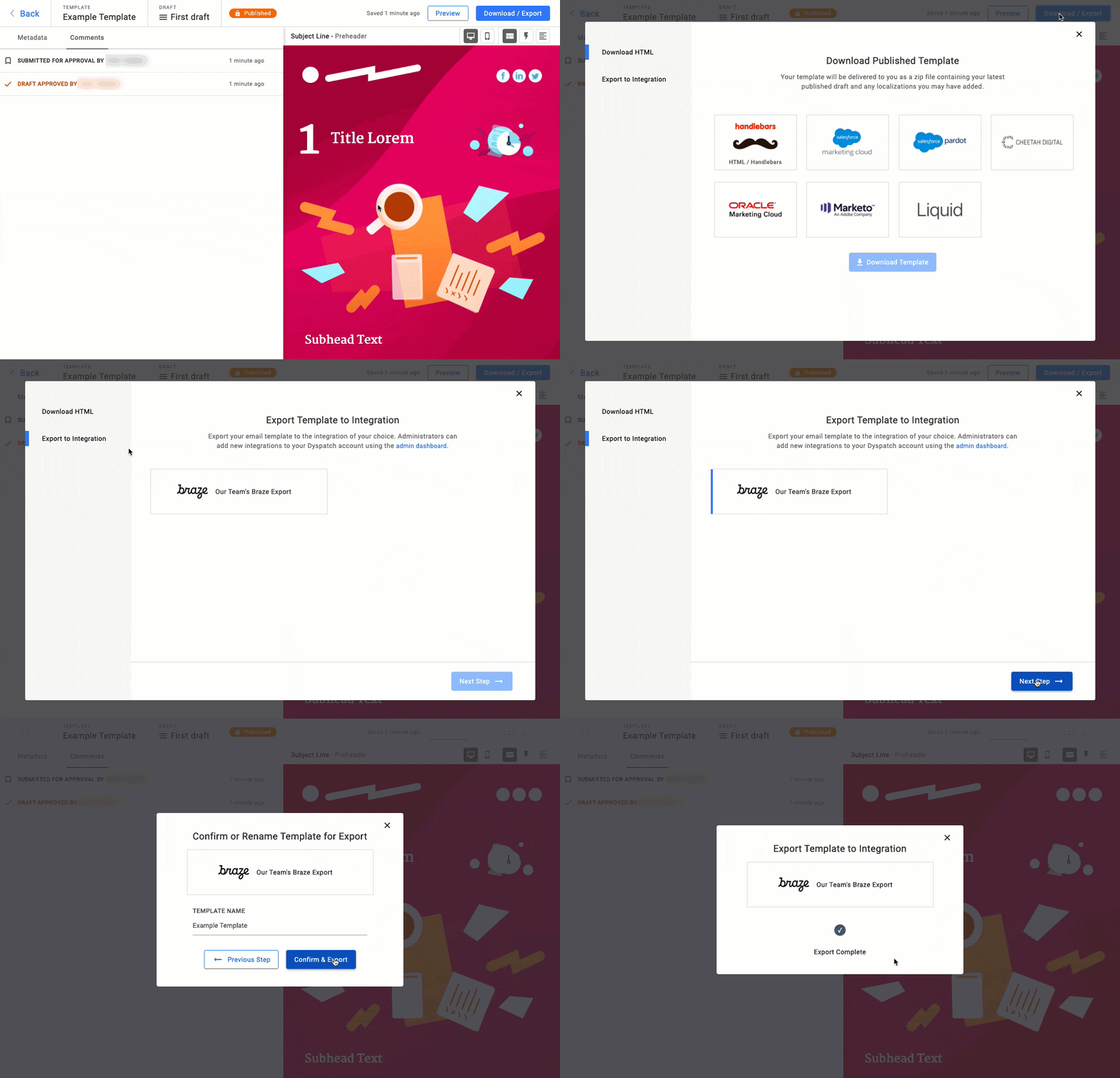
Dyspatch에서 이메일을 완성한 후 템플릿을 Braze로 보내려면 게시된 이메일 템플릿을 확인하고 Download/Export를 클릭한 다음 Export to Integration을 클릭합니다.
템플릿을 수동으로 업로드하려면 게시된 이메일 템플릿을 확인하고 Download/Export를 클릭한 다음 Download HTML을 클릭합니다. 그런 다음 Braze 계정의 Templates & Media > Email Templates 섹션에서 From File을 선택하여 템플릿을 업로드합니다.

Braze에서 Dyspatch 이메일 템플릿의 Sending Info 섹션에서 Inline CSS를 선택하지 마세요. Dyspatch가 이메일이 견고하고 반응형이며 발송 준비가 완료되도록 이를 자동으로 처리합니다.
사용법
Braze 계정의 Templates & Media > Email Templates 섹션에서 업로드한 Dyspatch 템플릿을 찾으세요. 이제 이 이메일 템플릿을 사용하여 고객에게 매력적인 이메일 메시지를 보낼 수 있습니다!