Shopify를 통해 고유 할인 코드 보내기
This community-submitted use case shows how to use Braze promotion codes with the Shopify Bulk Discount Code Bot to generate unique discount codes for your campaigns and Canvases. Unique discount codes help avoid the exploitation of generic promotion codes.
This is a community-submitted integration and isn’t directly supported by Braze. The Bulk Discount Code Bot is directly supported by Shopify. Only Braze promotion codes are supported by Braze.
요구 사항
| Requirement | Description |
|---|---|
| Set up a Shopify store | Confirm you’ve already set up a Shopify store with Braze. |
| Install the Bulk Discount Code Bot app | Download the Bulk Discount Code Bot app in the Shopify app store. |
Generating unique discount codes
Step 1: Configure your discount codes
Use the Bulk Discount Code Bot to configure your discount codes based on the number of codes to generate, code length, discount value, and more.
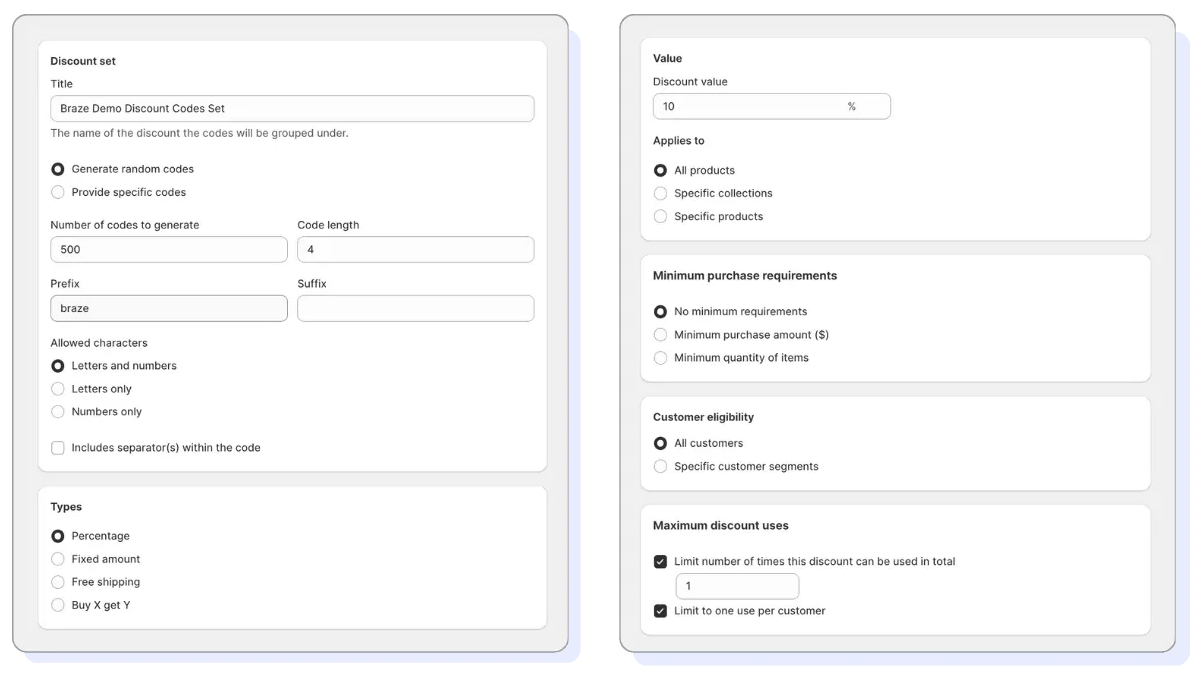
2단계: Export your codes
Find your discount set in the Bulk Discount Code Bot’s search bar, then select Export Codes > Download Codes to download a CSV file to your Downloads folder.
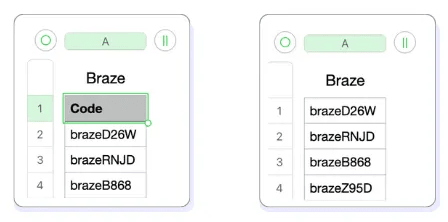
3단계: Add your discount codes to Braze
In Braze, go to Data Settings > Promotion Codes > Create Promotion Code List and configure your discount codes list. Make sure you match the expiration date that was configured by the Bulk Discounts Code Bot.
Then, upload your CSV file and select Save List.
Step 4: Add your discount codes to a Braze campaign or Canvas step
If you want to use your unique discount codes in a single-send campaign, or you don’t mind users receiving multiple unique codes across different campaigns or Canvas steps, copy the code’s Liquid snippet from the promotion codes list you saved.
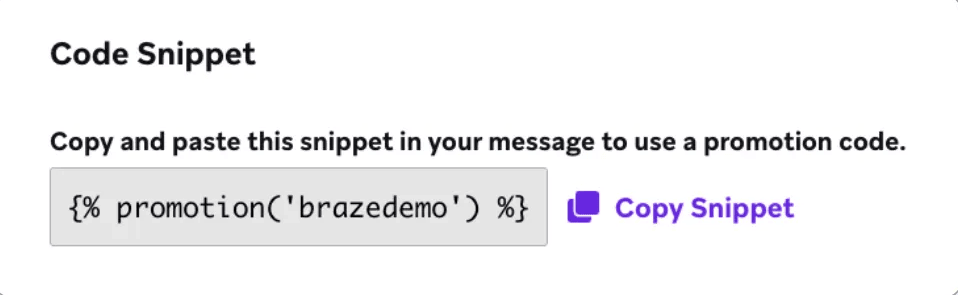
Paste the Liquid snippet into a campaign or Canvas step.
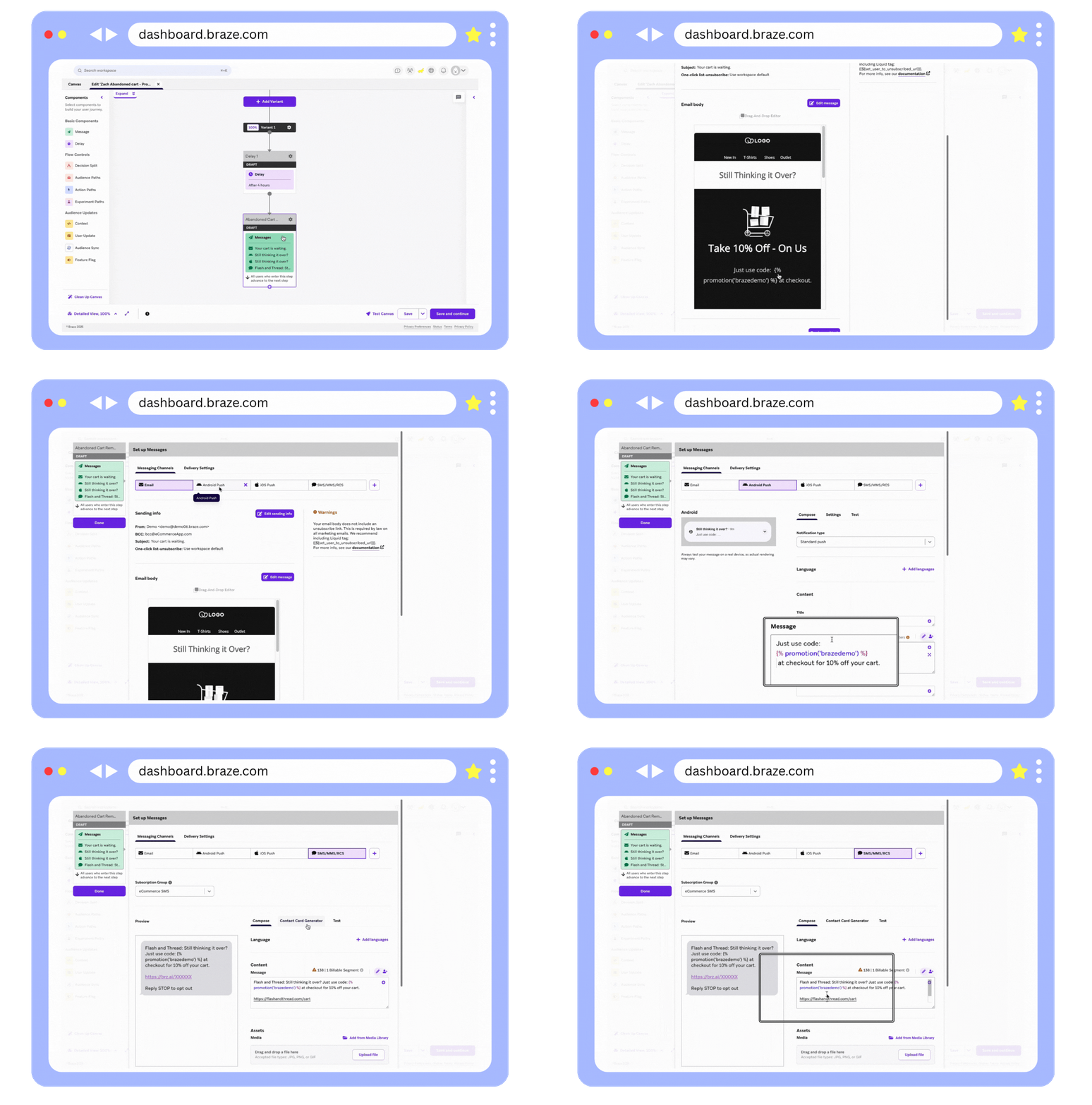 .
.
캠페인이나 캔버스에서 할인 코드가 몇 번이나 참조되더라도 사용자에게 하나의 고유 할인 코드를 받도록 하려면 첫 번째 메시지 단계 바로 앞에 ‘프로모션 코드’와 같은 커스텀 속성에 할인 코드를 할당하는 사용자 업데이트 단계를 만드세요.
You can also create a custom attribute by going to Data Settings > Custom Attributes.
In the User Update step, do the following for each field:
- Attribute Name: Select Promo Code.
- Action: Select Update.
- Key Value: Paste the Liquid code snippet.
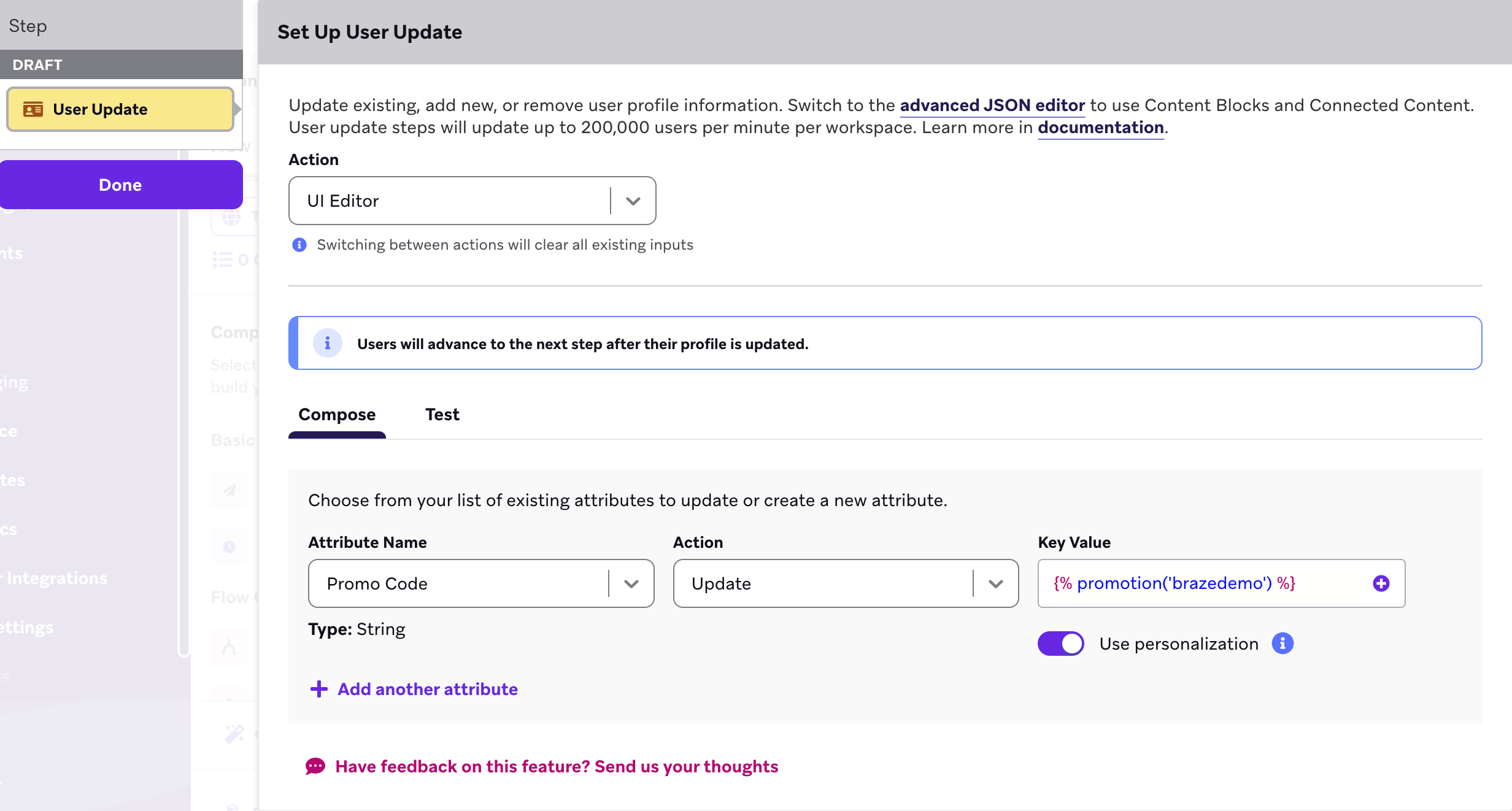
Now, you can add the custom attribute {{custom_attribute.${Promo Code}}} to any message, and the discount code will be templated in.
Discount code behavior
Multichannel campaign or Canvas step
When a discount code snippet is used in a multichannel campaign or Canvas step, users always receive a unique code. If a user is eligible to receive a code through more than one channel, they’ll receive the same code through each channel. In other words, an eligible user would only receive one code across all the messages sent by that campaign or Canvas step.
Different Canvas steps or separate campaigns
When a discount code is referenced by multiple steps in the same Canvas or by separate campaigns, an eligible user will receive multiple unique promotion codes (one code for each Canvas step or campaign).
 GitHub 에서 이 페이지를 편집합니다.