Census cohort import
This article describes how to import user cohorts from Census to Braze. For more information on integrating Census, see the main Census article.
Cohort import integration
Step 1: Create Braze service connection
To integrate Census in the Census platform, navigate to the Connections tab and select New Destination to create a new Braze service connection.
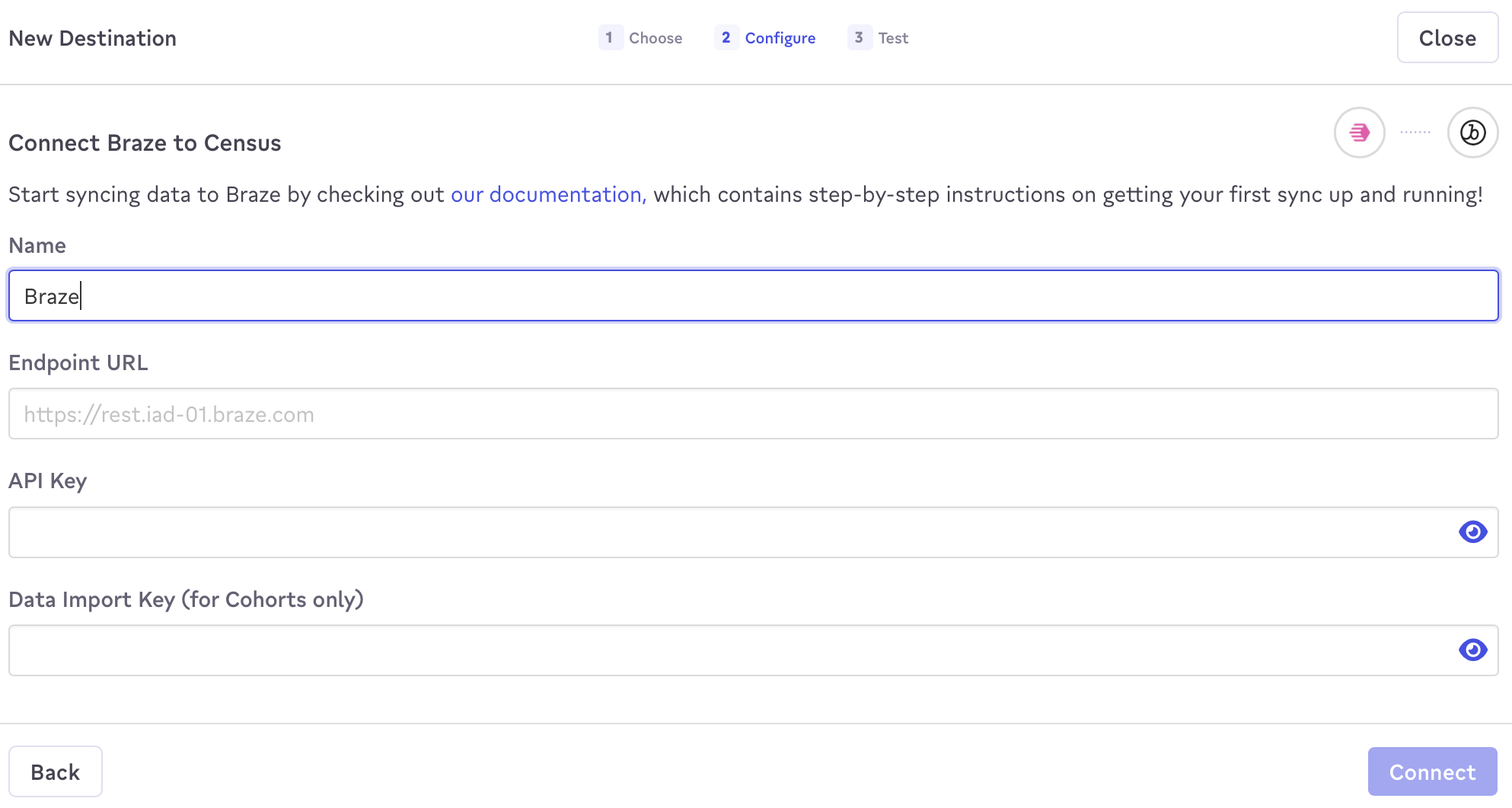
In the prompt that appears, name this connection, and provide your Braze endpoint URL, Braze REST API key, and data import key. The data import key is required to sync cohorts and can be found in Braze by going to Partner Integrations > Technology Partners > Census.
2단계: Create a Census sync
To sync customers to Braze, you must build a sync. Here, you will define where to sync data and how you would like fields mapped across the two platforms.
- Navigate to the Syncs tab and select New Sync.
- In the composer, select the source data model from your data warehouse.
- Configure where the model will be synced to. 동기화할 대상으로 Braze를 선택하고 사용자 & 코호트를 선택합니다.
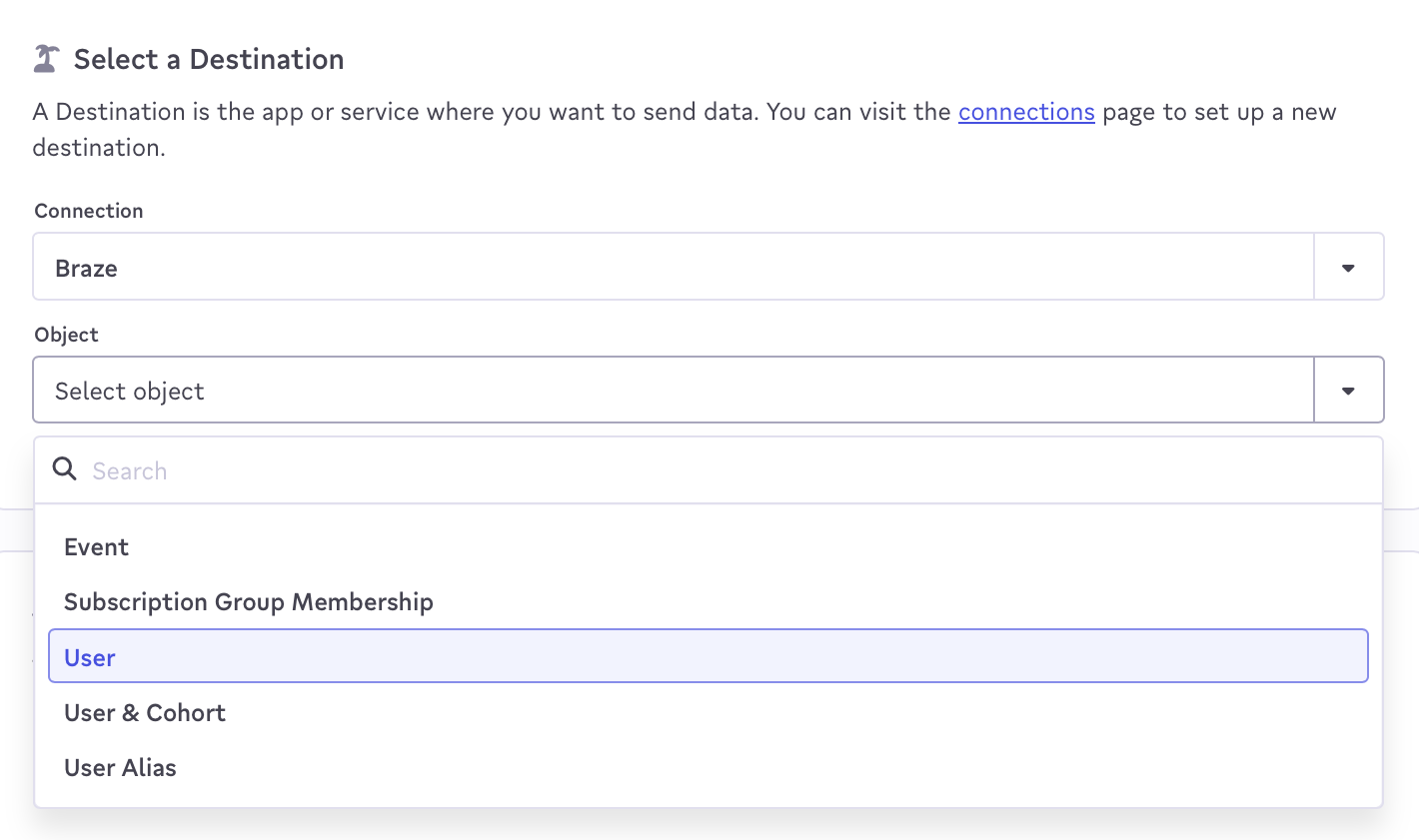
- 소스 열을(를) 선택하여 코호트에 추가할 사용자를 식별하고, 외부 사용자 ID를 식별자 유형으로 선택합니다.
- In the Cohort Name dropdown, select a cohort, create a cohort, or select a Source Column to populate the cohort name.
- Use the When a record is removed from source data dropdown to select what happens to users when they’re removed from the source dataset, such as Do nothing or Remove matching record from cohort.
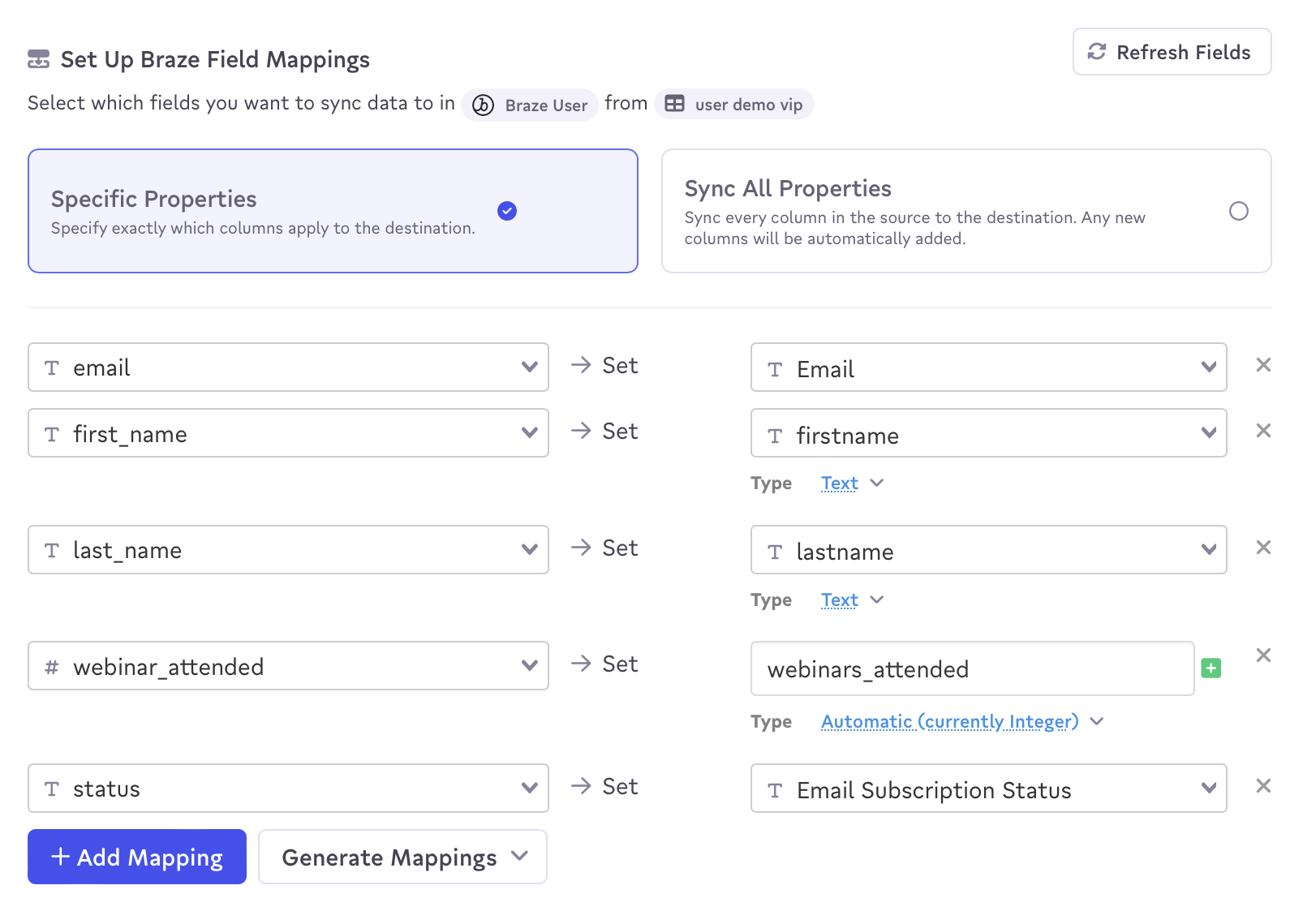
- 마지막으로, Census 데이터 필드를 해당하는 Braze 필드에 매핑합니다.
- 세부 사항을 확인하고 동기화를 만드십시오.
Now you can run your sync!
During a sync, any fields that you map will first be synced to the user object to update what already exists in Braze. After that, the updated user will be added to the specified cohort.
After the sync, you can create and add a Braze segment with a Census cohort filter to future Braze campaigns and Canvases to target those users.
When using the Census and Braze integration, Census will only send the deltas (changing data) on each sync to Braze.
Only users who already exist within Braze will be added or removed from a cohort. Cohort Import will not create new users in Braze.
User Matching
Identified users can be matched by either their external_id or alias. Anonymous users can be matched by their device_id. Identified users who were originally created as anonymous users can’t be identified by their device_id, and must be identified by their external_id or alias.
 GitHub 에서 이 페이지를 편집합니다.