Census
Census is a data activation platform that connects cloud data warehouses like Snowflake and BigQuery to Braze. Marketing teams can unlock the power of their first-party data to build dynamic audience segments, sync customer attributes to personalize campaigns, and keep all their data in Braze up-to-date. It’s easier than ever to take action with trusted, actionable data — no CSV uploads or engineering favors required.
The Braze and Census integration allows you to dynamically import audiences or product data into Braze to send personalized campaigns. For example, you can create a cohort in Braze for “Newsletter subscribers with CLV > 1000” to target high-value customers or “Users Active in the Last 30 Days” to target specific users to test an upcoming beta feature.
Prerequisites
| Requirement | Description |
|---|---|
| Census account | A Census account is required to take advantage of this partnership. |
| Braze REST API key | A Braze REST API key with all user data permissions (except for users.delete) and segments.list permissions. The permissions set may change as Census adds support for more Braze objects, so you may either want to grant more permissions now or plan to update these permissions in the future. This can be created in the Braze dashboard from Settings > API Keys. |
| Braze REST endpoint | Your REST endpoint URL. Your endpoint will depend on the Braze URL for your instance. |
| Data warehouse and data model | Before beginning the integration, you must have a data warehouse set up in Census and define a model of the subset of data you want to sync to Braze. Visit Census documentation for a list of available data sources and guidance on model creation. |
Integration
Step 1: Create Braze service connection
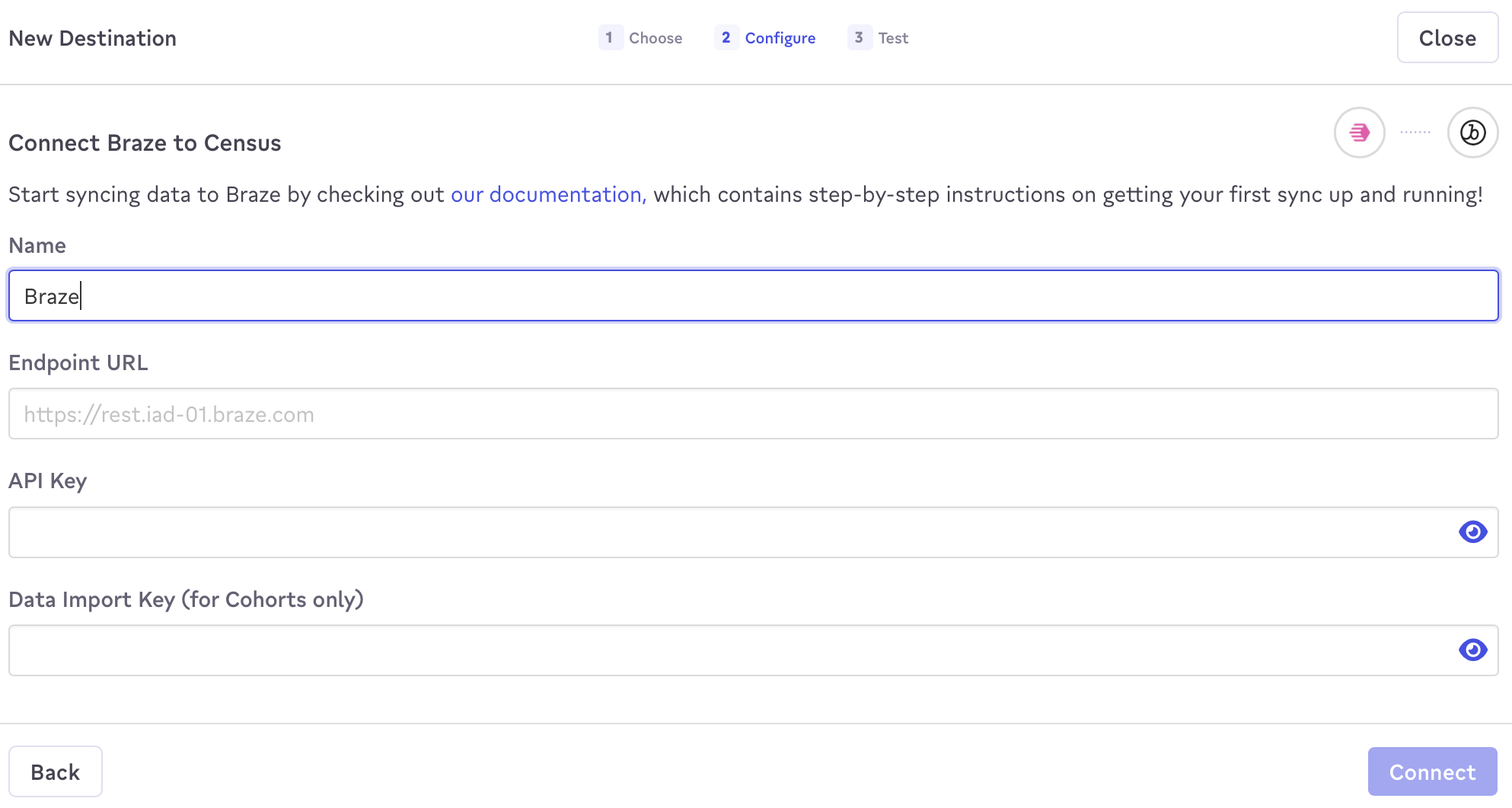
To integrate Census in the Census platform, navigate to the Connections tab and select New Destination to create a new Braze service connection.
In the prompt that appears, name this connection, and provide your Braze endpoint URL and Braze REST API key (and, optionally, your data import key to sync cohorts).
2단계: Create a Census sync
To sync customers to Braze, you must build a sync. Here, you will define where to sync data and how you would like fields mapped across the two platforms.
- Navigate to the Syncs tab and select New Sync.
- In the composer, select the source data model from your data warehouse.
- Configure where the model will be synced to. 대상으로 Braze를 선택하고 동기화할 지원되는 오브젝트 유형을 선택합니다.
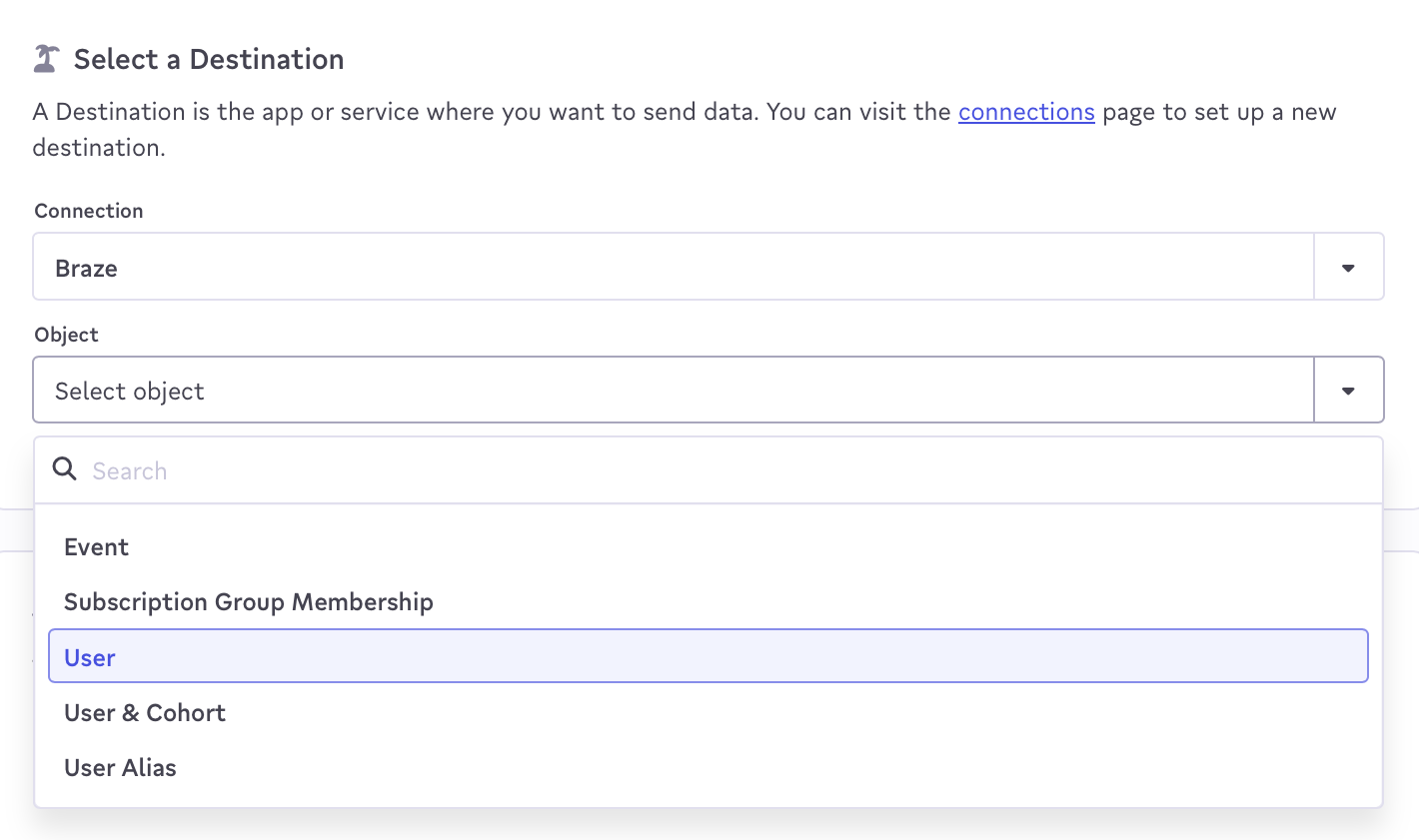
- 적용할 동기화 규칙을 선택합니다. 업데이트 또는 생성이 가장 일반적인 선택이지만, 데이터 삭제 등을 처리하기 위해 고급 규칙을 선택할 수도 있습니다.
- Next, for record matching purposes, choose a sync key to map your Braze object to a model field.
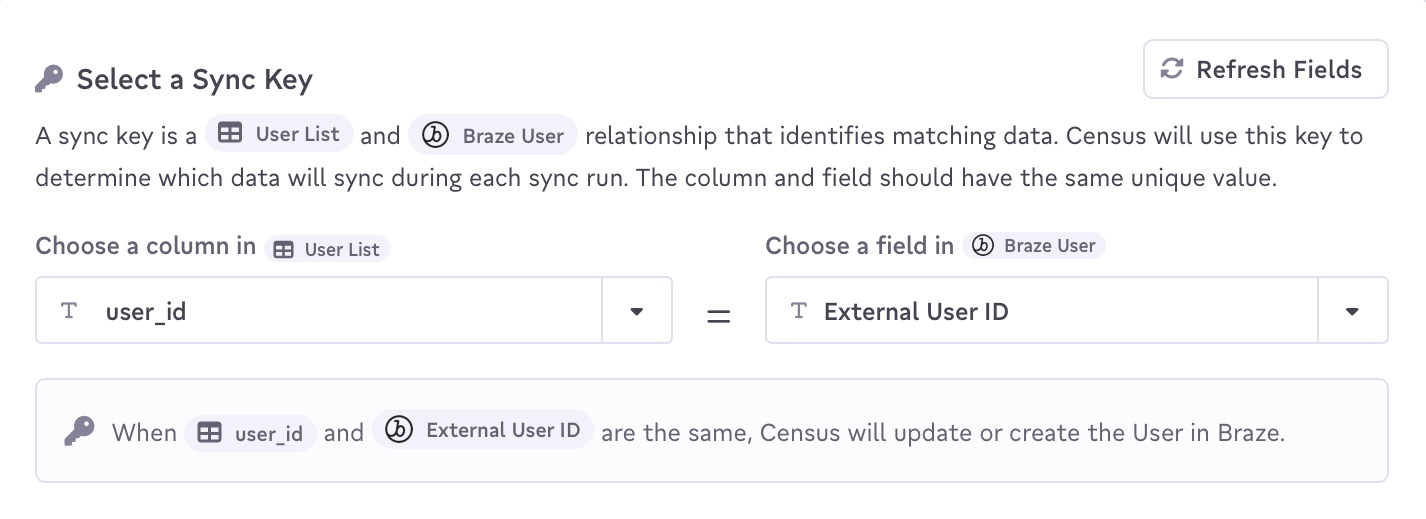
- Lastly, map the Census data fields to the equivalent Braze fields.
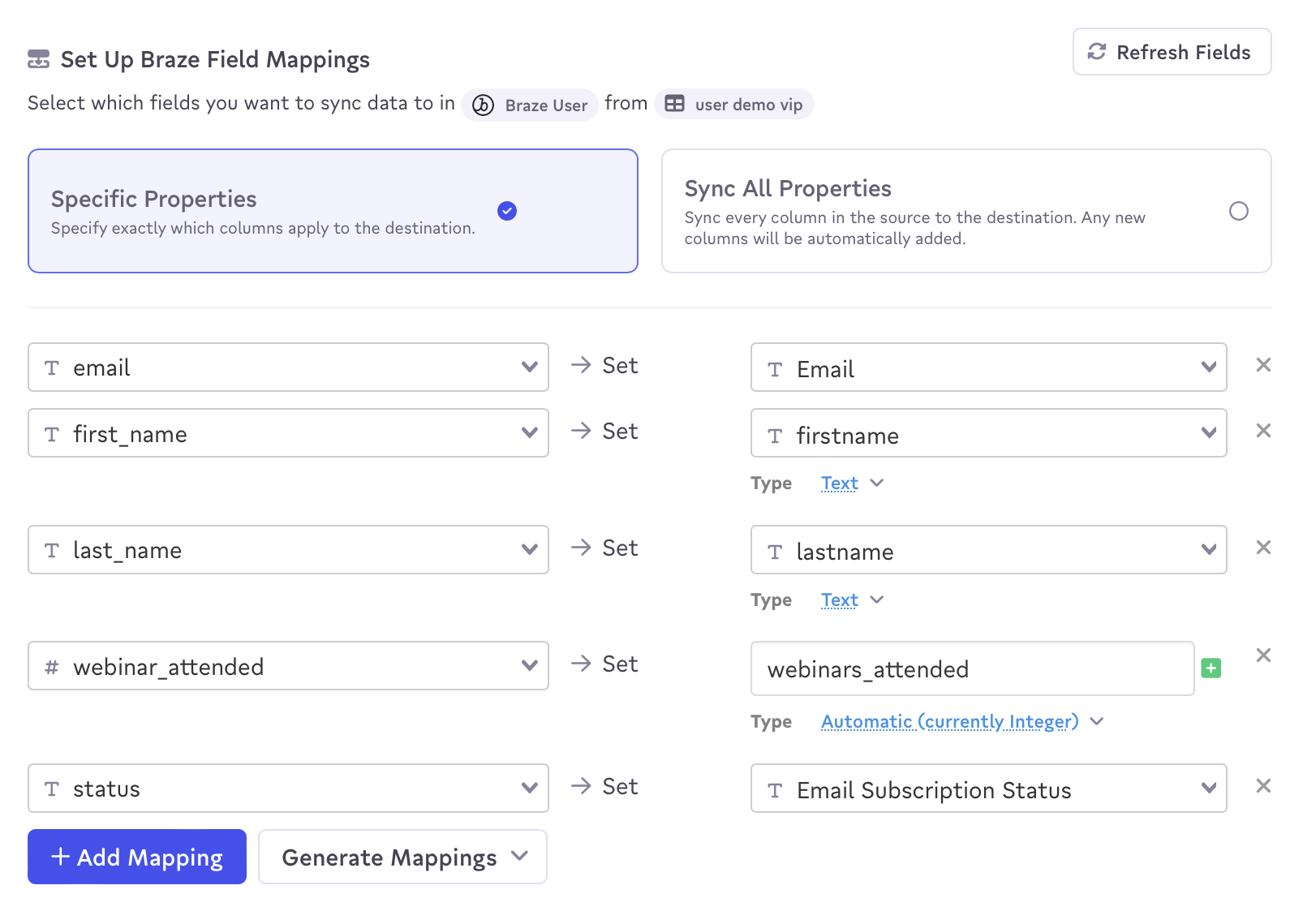
- 세부 정보를 확인하고 동기화를 생성합니다.
After the sync runs, you will find the user data in Braze. You can now create and add a Braze segment to future Braze campaigns and Canvases to target these users.
When using the Census and Braze integration, Census will only send the deltas (changing data) on each sync to Braze.
Supported objects
Census currently supports syncing of the following Braze objects:
| Object name | Sync Behaviors |
|---|---|
| User | Update, Create, Mirror, Delete |
| Cohort | Update, Create, Mirror |
| Catalog | Update, Create, Mirror |
| Subscription Group Membership | Mirror |
| Event | Append |
Additionally, Census supports sending structured data to Braze:
- User push tokens: To send push tokens, your data should be structured as an array of objects with 2-3 values:
app_id,token, and an optionaldevice_id. - Nested custom attributes: Both objects and arrays are supported. As of April 2022, this feature is still in early access. You may need to contact your Braze account manager for access.
 GitHub 에서 이 페이지를 편집합니다.