Simon AI
Simon AI 에이전틱 마케팅 플랫폼은 마케팅 팀이 진정한 일대일 개인화를 달성할 수 있도록 지원합니다. 컴포저블 CDP와 Snowflake AI 데이터 클라우드에서 직접 작동하는 AI 에이전트를 결합하여 마케터의 데이터 및 실행 팀 역할을 수행합니다.
Braze와 Simon AI 통합을 사용하여 코드 없이 실시간 오케스트레이션을 위해 고급 오디언스를 구축하고 Braze에 동기화할 수 있습니다. 이 통합을 통해 Simon AI의 신원 확인, 고객 데이터 통합, AI 중심 세그먼트를 활용하여 더욱 개인화되고 영향력 있는 Braze 캠페인을 다운스트림에서 진행할 수 있습니다.
필수 조건
시작하려면 Simon AI 계정에서 Braze 계정을 인증해야 합니다.
| Requirement | 설명 |
|---|---|
| Simon AI | Simon AI 내에서 Braze 통합 기능을 활용하려면 기존 Simon AI 계정이 있어야 합니다. |
| Braze REST API key | A Braze REST API key with users.track, campaigns.trigger.schedule.create, and campaigns.trigger.send permissions. This can be created in the Braze dashboard from Settings > API Keys. |
| Braze Dashboard URL | Your REST endpoint URL. Your endpoint will depend on the Braze URL for your instance. |
Use cases
- Trigger a Braze Canvas or email
- Pass and maintain Segment Properties
- Sync Traits and Contact Properties
When using the Simon and Braze integration, Simon only sends deltas on each sync to Braze avoiding costs for irrelevant data. See Sync Traits and Contact Properties for more.
Integration
Simon AI에서 Braze 계정 인증하기
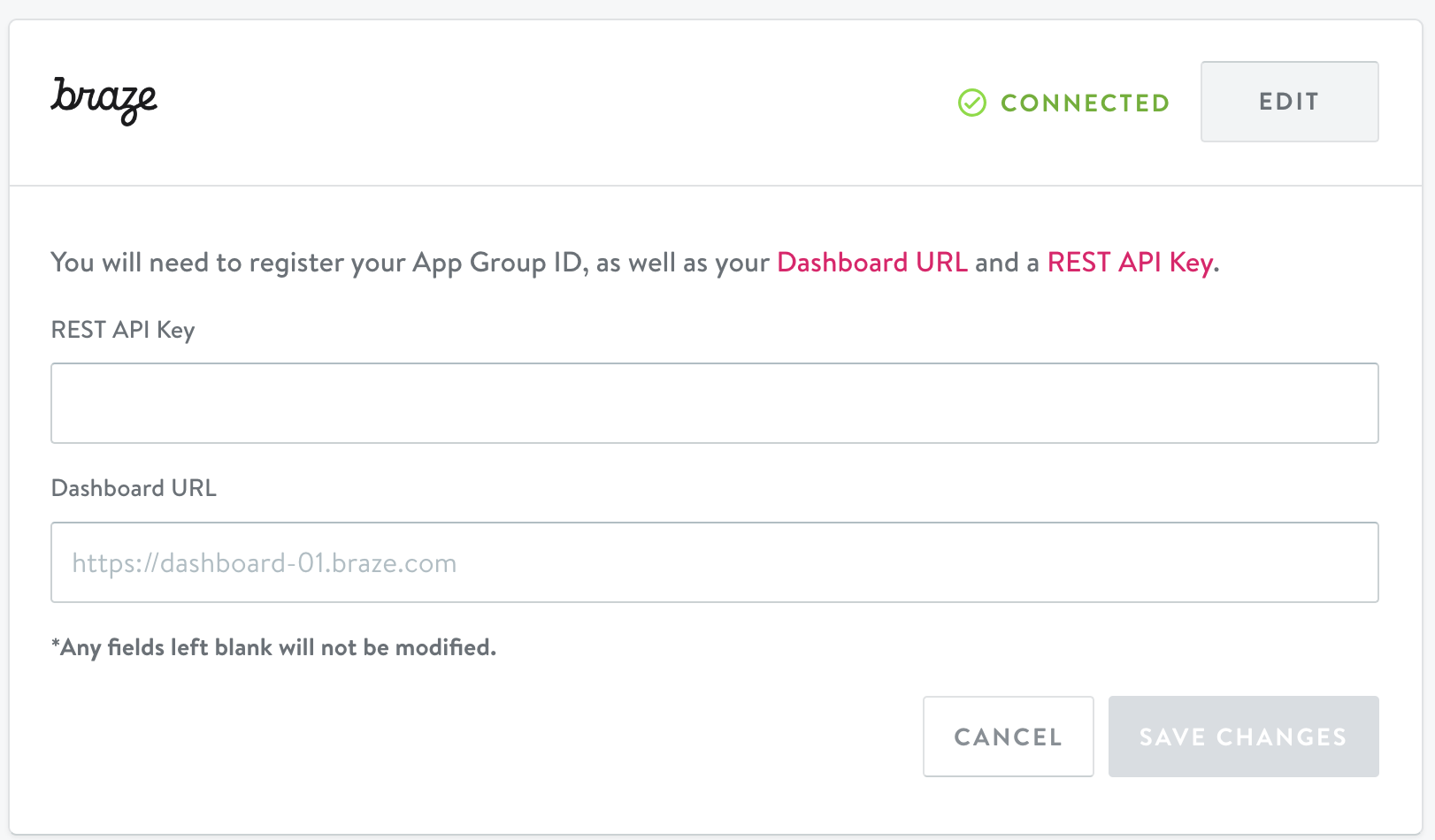
To use the Braze integration, first authenticate your Braze account in Simon:
- From the left navigation, click Integrations then scroll to Braze.
- Enter your Braze REST API key and your dashboard URL.
- Click Save Changes.
A successful connection displays Connected in the window.
Simon AI에서 흐름 또는 여정에 Braze 작업 추가하기
Simon AI에서 Braze 계정을 인증한 후에는 흐름과 여정에 Braze 작업을 추가할 수 있습니다.
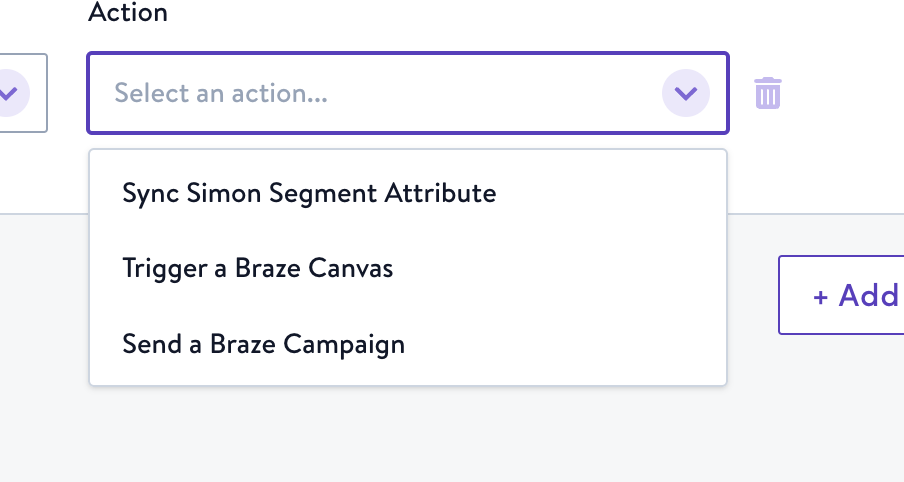
Three actions are available:
- Sync Simon segment attribute: Sync your segment details with a new or existing custom attribute in Braze.
- Trigger a Braze Canvas: Trigger a Braze Canvas that leverages your Simon segment data.
- Send a Braze campaign: Launch an entire Braze campaign from Simon.
Some actions are only available for specific Flow types or Journeys alone. Learn more at docs.simondata.com.
Sync traits and contact properties
To minimize data consumption, you can choose specific traits to sync by default, rather than updating every field for all customers in a segment.
To get started with trait syncing, submit a request in the Simon Support Center. Your account manager will let you know when you can proceed with the following steps.
After Contact Traits is activated by your account manager:
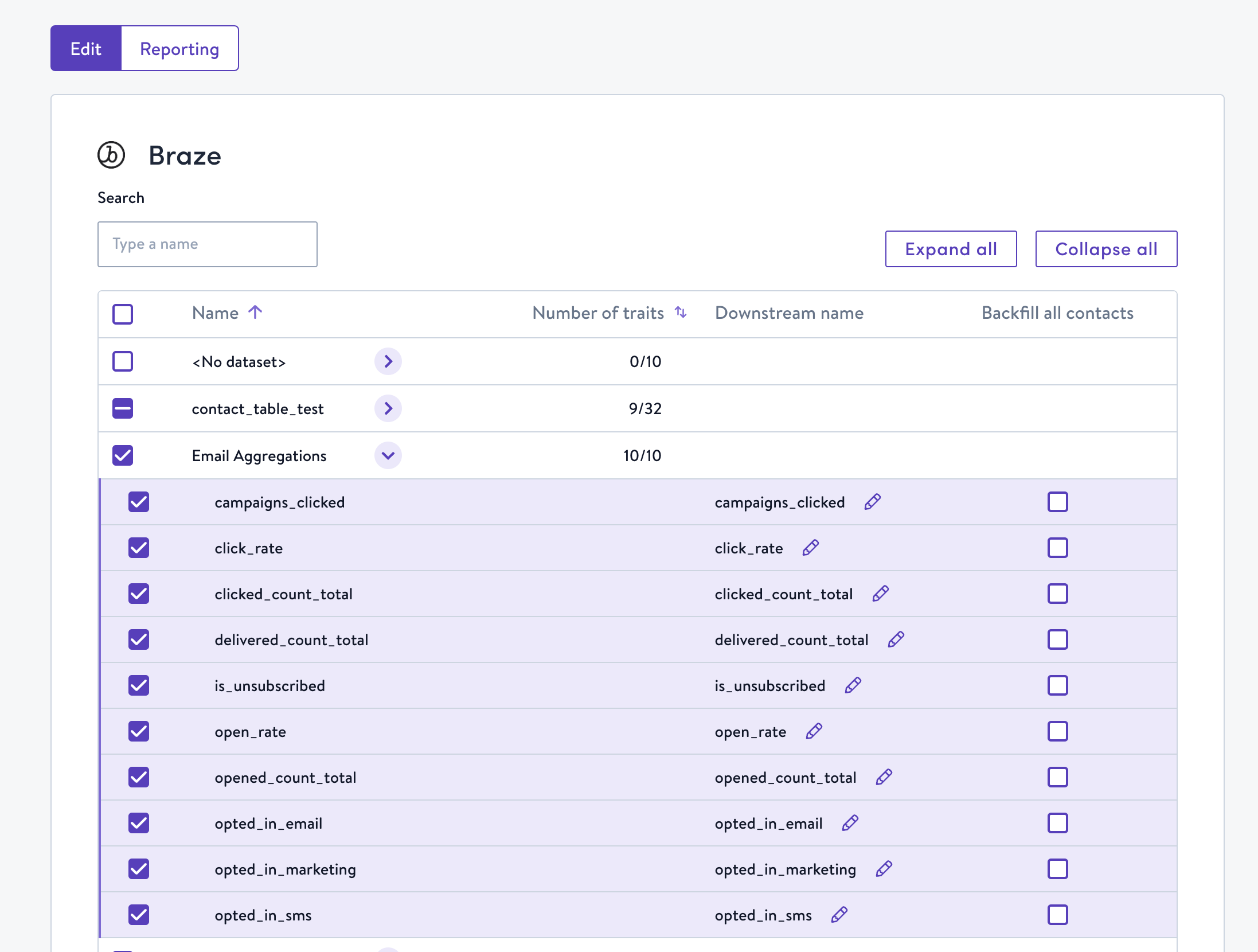
- In Simon, expand Admin Center in the left navigation and select Sync Contact Traits.
- Choose Braze. Contact properties are displayed here, nested by dataset.
- Select any fields you want synced when you use the Simon and Braze integration:
- Number or traits indicates how many traits are available to choose from in that dataset. You can choose all or expand the row to select individual fields.
- Edit the Downstream name if you want the field names to appear differently when they arrive in Braze.
- If this is your first time integrating with Braze from Simon, click Backfill all contacts. Backfilling sends all the data points to Braze the first time you use an action in a flow or journey to be sure all your data is fully in sync. Then on subsequent syncs, only the traits you choose in this screen are sent to Braze. This helps to make sure you’re only charged for the data you need.
 GitHub 에서 이 페이지를 편집합니다.