Yotpo
Yotpo, the leading eCommerce marketing platform, helps thousands of forward-thinking brands accelerate direct-to-consumer growth. Yotpo’s single-platform approach integrates data-driven solutions for reviews, loyalty, SMS marketing, and more, empowering brands to create smarter, higher-converting customer experiences.
This integration is maintained by Yotpo.
About the integration
With the Braze and Yotpo integration, you can dynamically pull and display star ratings, top reviews, and visual user-generated content (UGC) on products within emails and other communication channels within Braze. You can also include customer-level loyalty data in emails and other communication methods to create a more personalized interaction, boosting sales and loyalty.
Prerequisites
| Requirement | Description |
|---|---|
| Yotpo account | A Yotpo account is required to take advantage of this partnership. |
| Yotpo reviews API key | This API will be implemented within the Connected Content code snippet. For more information, refer to finding your Yotpo app key and secret key. |
| Yotpo loyalty API key | 이 API 키와 글로벌 고유 식별자(GUID)는 연결된 콘텐츠 코드 스니펫 내에서 구현됩니다. 자세한 내용은 로열티 찾기 & 추천 API 키 및 GUID를 참조하세요. |
Before continuing, confirm that the Yotpo product ID is the same as the product_id that will be pulled dynamically from Braze. This is mandatory for the integration to work.
To find your Yotpo product ID, perform the following steps:
- Go to your store website.
- Open the product page.
- Right-click and select Inspect.
- Press Control + F and search for
yotpo-mainin the code.data-product ID변수와 해당 값은 Yotpo div에 표시됩니다.

통합
To integrate Yotpo and Braze, perform the following steps:
- Go to your Braze dashboard.
- On the Campaigns page, click Create Campaign and select Email.
- Select your preferred template.
- Click Edit email body and add the respective Connected Content snippet for your use case:
Display a product’s star rating and review count
Use this snippet to provide the public average score and number of total reviews for a product that is included in the email:
1
2
3
4
5
6
7
8
9
10
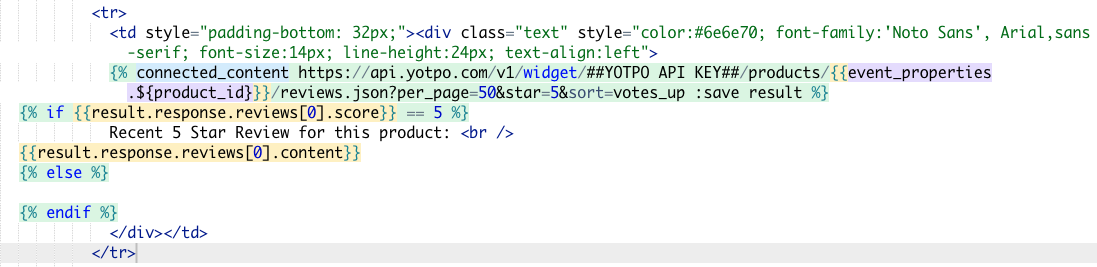
{% connected_content https://api.yotpo.com/products/<YOTPO-API-KEY>/{{event_properties.${product_id}}}/bottomline :save result %}

{% if {{result.response.bottomline.average_score}} != 0 %}

The average rating for this product is:

{{result.response.bottomline.average_score}}/5, based on {{result.response.bottomline.total_reviews}} reviews.

{% else %}
{% endif %}
Replace <YOTPO-API-KEY> with your Yotpo reviews API key. The product_id will be pulled dynamically from Braze. For the integration to work, the product_id in Braze must match the product ID in Yotpo (typically the eCommerce parent product ID).
제품의 최근 5점 별점 리뷰 표시
Use this snippet to provide a top (published) review for a specific product that is included in the email:
1
2
3
4
5
6
7
8
9
10
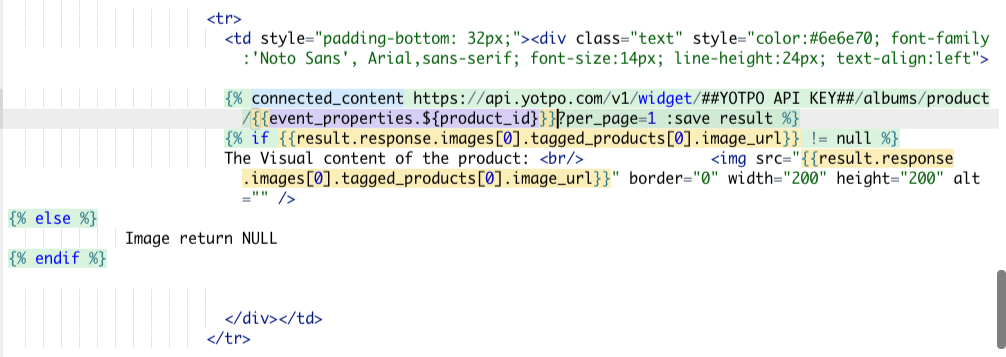
{% connected_content https://api.yotpo.com/v1/widget/<YOTPO-API-KEY>/products/{{event_properties.${product_id}}}/reviews.json?per_page=50&star=5&sort=votes_up :save result %}

{% if {{result.response.reviews[0].score}} == 5 %}

Recent 5 Star Review for this product:

{{result.response.reviews[0].content}}

{% else %}
{% endif %}
Replace <YOTPO-API-KEY> with your Yotpo reviews API key. The product_id will be pulled dynamically from Braze. For the integration to work, the product_id in Braze must match the product ID in Yotpo (typically the eCommerce parent product ID).
Here’s what the snippet in your email editor will look like:
제품별 시각적 UGC 표시
Use this snippet to retrieve tagged and published Yotpo images and add them to your emails instead of the stock image or as an additional gallery:
1
2
3
4
5
6
7
8
9
10
11
12
13
14

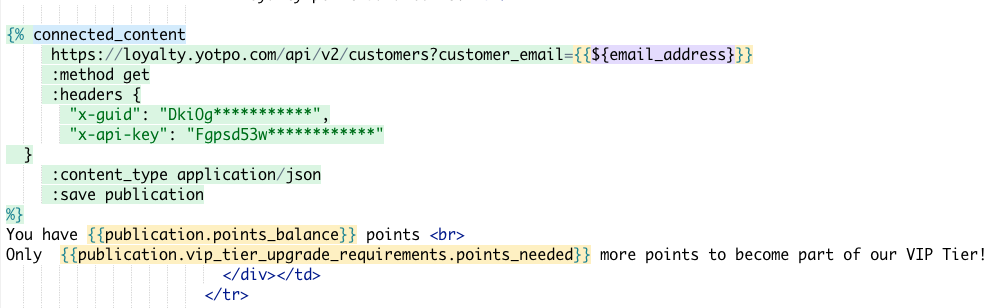
{% connected_content https://api.yotpo.com/v1/widget/<YOTPO-API-KEY>/albums/product/{{event_properties.${product_id}}}?per_page=1 :save result %}

{% if {{result.response.images[0].tagged_products[0].image_url}} != null %}

The Visual content of the product:

<img src="{{result.response.images[0].tagged_products[0].image_url}}" border="0" width="200" height="200" alt="" />

{% else %}

Image return NULL

{% endif %}
Replace <YOTPO-API-KEY> with your Yotpo reviews API key. The product_id will be pulled dynamically from Braze. For the integration to work, the product_id in Braze must match the product ID in Yotpo (typically the eCommerce parent product ID).
The snippet will look something like this:
이메일에 고객 로열티 잔액 표시하기
Use this snippet to retrieve a customer’s loyalty point balance and use it in your email messaging:
1
2
3
4
5
6
7
8
9
10
11
12
13
14
15
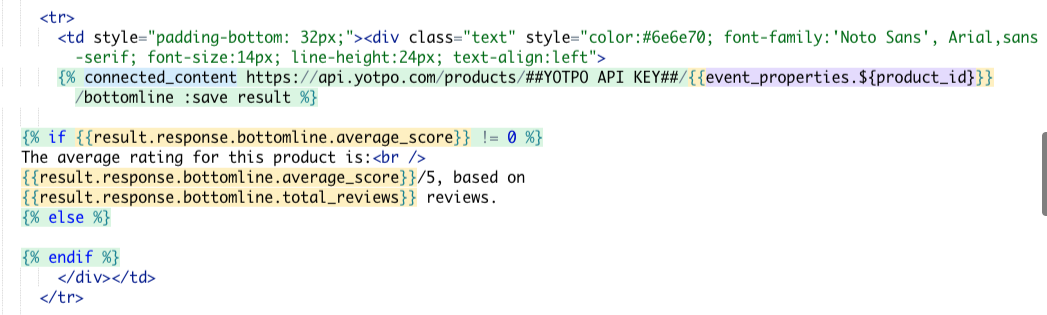
{% connected_content

https://loyalty.yotpo.com/api/v2/customers?customer_email=**{{${email_address}}}**
:method get
:headers {
    "x-guid": "<YOTPO-LOYALTY-GUID>",
    "x-api-key": "<YOTPO-LOYALTY-API-KEY>"
        }
:content_type application/json
:save publication
%}

You have {{publication.points_balance}} points

Only {{publication.vip_tier_upgrade_requirements.points_needed}} more points to become part of our VIP Tier!
Replace <YOTPO-LOYALTY-GUID> and <YOTPO-LOYALTY-API-KEY> with your Yotpo loyalty credentials. The email_address is pulled dynamically from Braze. For the integration to work, the email must be the email address of the customer receiving the email.
스니펫은 다음과 비슷합니다.
자주 묻는 질문
What if I don’t have a 5-star review?
If you don’t have any 5-star reviews (such as if the endpoint response returns NULL for the 5-star review), then no content will be displayed.
What if I don’t have an image published for a product?
If you don’t have any images for a product (such as if the endpoint response returns NULL for the product image), then no content will be displayed.
Can I customize the look and feel, or pull other data fields from Yotpo?
Yes! To discover other data points and customization options available, refer to Making an API call. You may need some assistance from a front-end developer to do so.
Yotpo does not support custom requirements beyond what is described in this guide.
 GitHub 에서 이 페이지를 편집합니다.