Wyng
Wyng은 중요한 순간에 소비자의 참여를 유도하고, 선호도 및 기타 제로파티 데이터를 수집하며, 실시간으로 개인화된 대화형 디지털 경험(퀴즈, 선호도 센터, 프로모션)을 구축할 수 있는 툴을 제공합니다.
This integration is maintained by Wyng.
About the integration
The Braze and Wyng integration allows you to leverage zero-party data earned via Wyng experiences to personalize interactions in Braze Campaigns and Braze Canvas. Wyng can also power a preference center, so consumers can control the data and preferences (including communication preferences) they share with your brand.
Prerequisites
| Requirement | Description |
|---|---|
| Wyng account | A Wyng account is required to take advantage of this partnership. |
| Braze REST API key | A Braze REST API key with users.track permissions. This can be created in the Braze dashboard from Settings > API Keys. |
Integration
Step 1: Connect the Braze integration
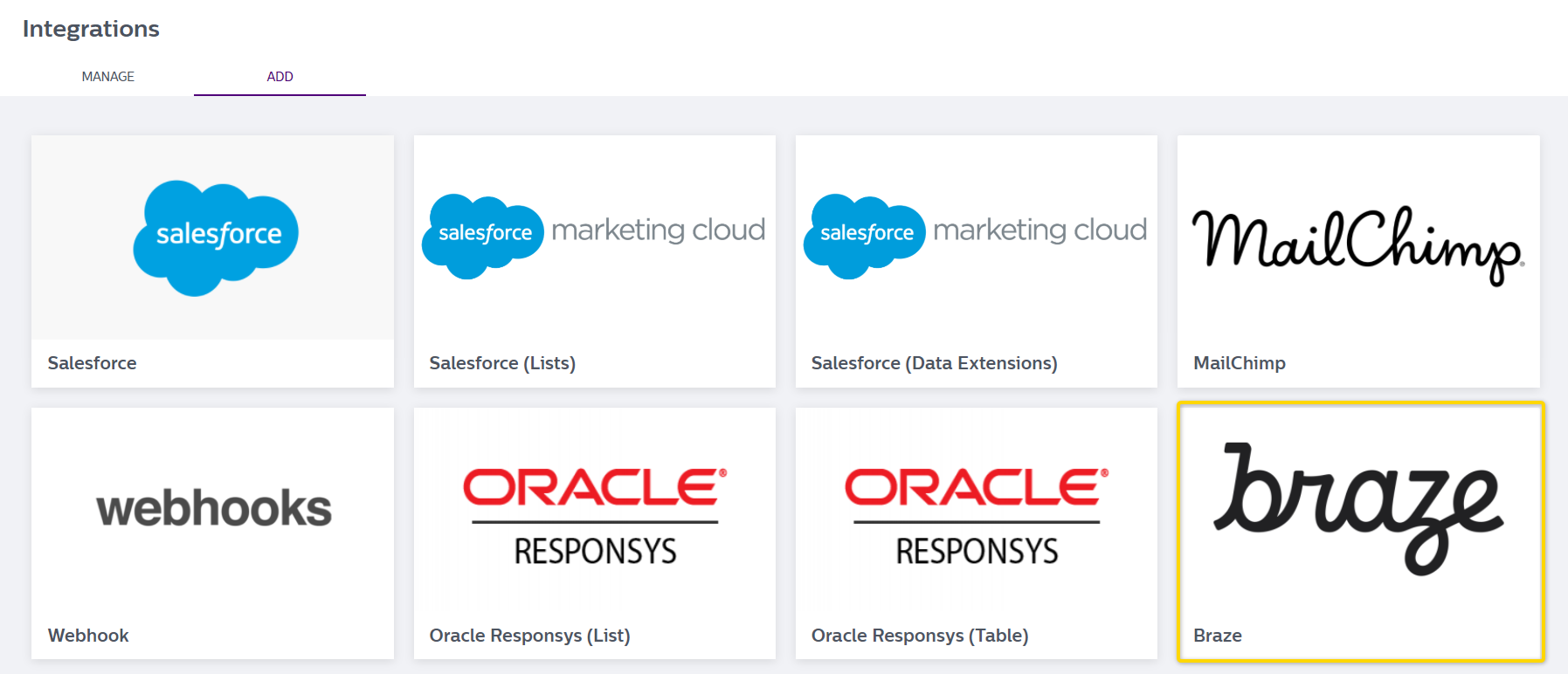
In Wyng, go to Integrations and select the Add tab. 다음으로, Braze 위로 마우스를 가져가서 통합을 위해 Connect를 클릭합니다.
2단계: Configure the Braze connector
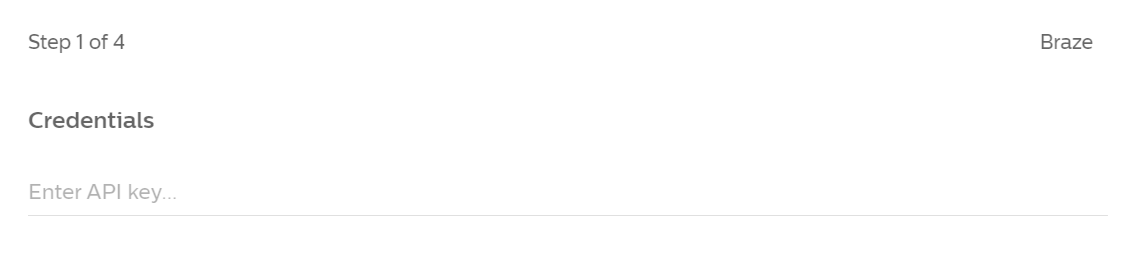
- 열리는 구성 창에서 Braze REST API 키를 입력하세요.
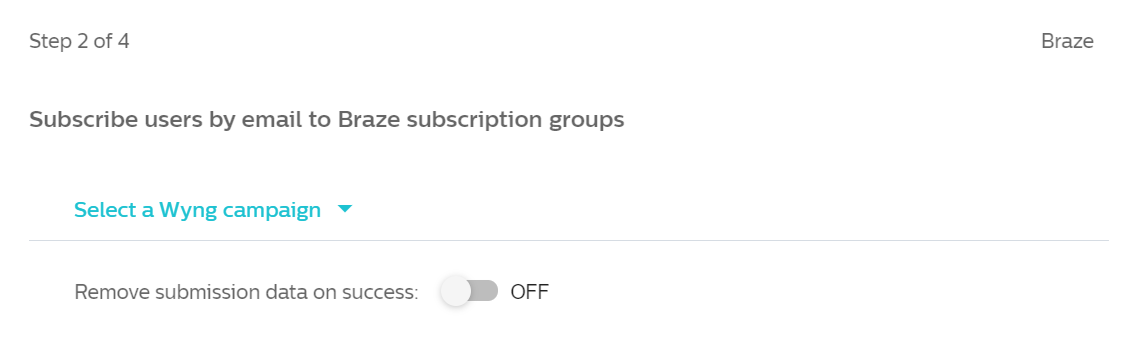
- 다음으로, 드롭다운을 사용하여 Braze와 공유할 Wyng 캠페인을 선택합니다.
- 다음으로, 가입, 속성 및 이벤트 오브젝트, 커스텀 이벤트를 설정해야 합니다.
- Subscriptions setup (required)
To subscribe users to subscription groups, click Add Subscription and add your subscription group name and ID. 여러 그룹 이름과 ID를 추가하려면 구독 추가 버튼을 다시 클릭하십시오.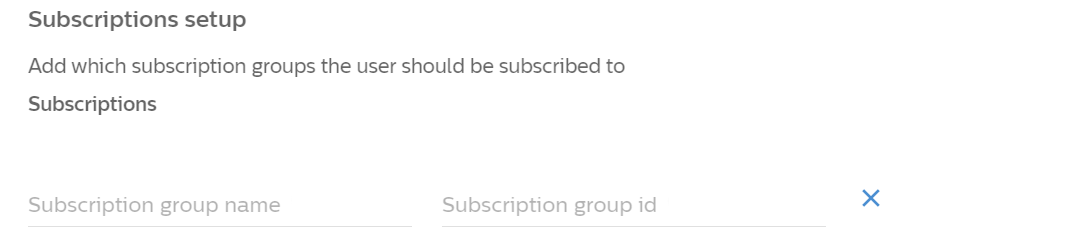
- 사용자 추적 설정
Click Add custom property to add attribute and event object pairs to send to the/users/trackendpoint. Use this to add hard-coded attribute values for each data transaction sent for the integration. 여러 속성을 추가하려면 커스텀 속성 버튼을 다시 클릭하십시오.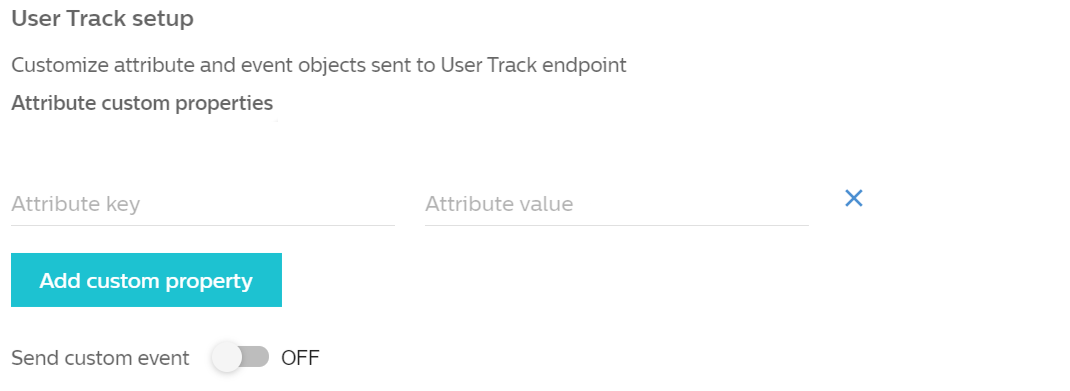
- 커스텀 이벤트 전송
Optionally, you can enable Sending custom event. 활성화된 경우 이벤트 이름과 해당 앱 ID를 포함해야 합니다.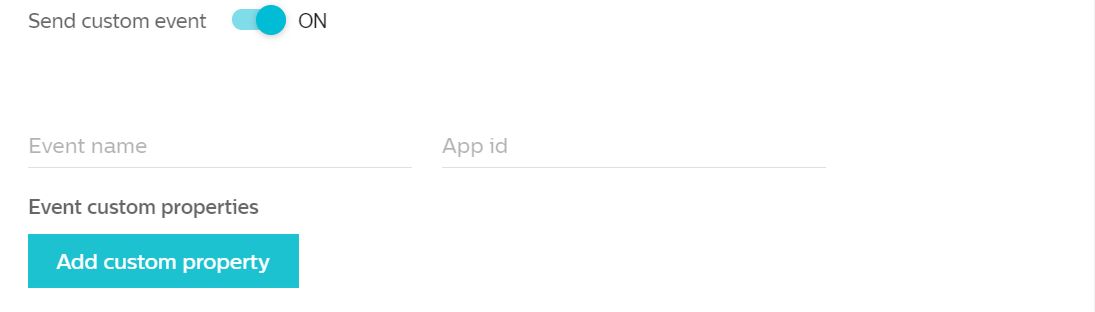
- Subscriptions setup (required)
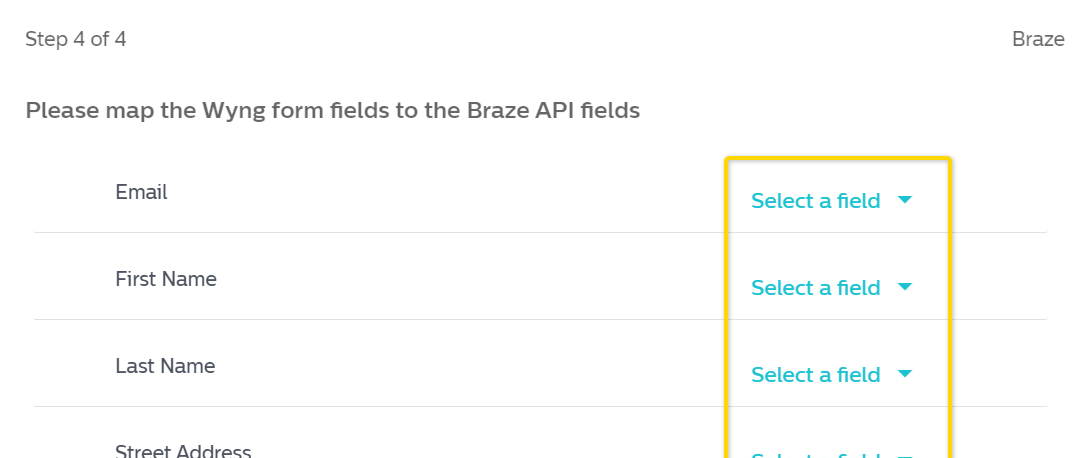
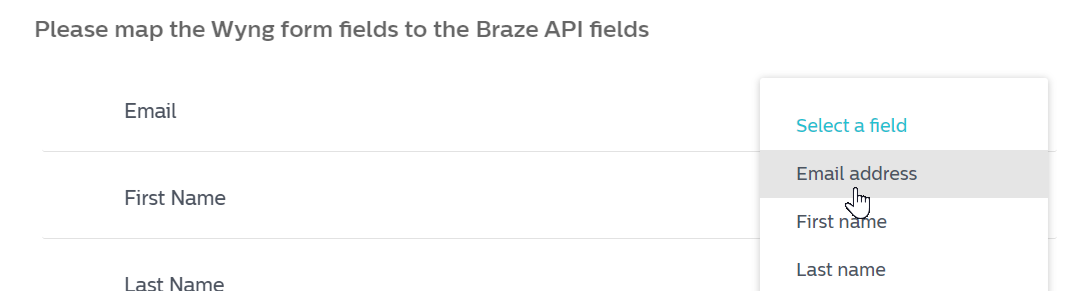
- 마지막으로, 사용 사례에 따라 Wyng 필드를 Braze API 필드에 매핑해야 합니다. Click Select a field to choose fields to map, and afterwards, Save your integration. 저장되면 이러한 매핑된 필드는 Integrations > Manage 아래에서 찾을 수 있습니다.
3단계: Test your integration
In Wyng, test submitting the form in your Wyng campaign. You can also submit it in the preview campaign if you do not want to add a record to the main production campaign. You should see a successful transaction in the Integration dashboard.
Using this integration
Once the data connector is in place, any fields created in Wyng and added to Braze can be used just like any other data field to trigger campaigns, segment audiences, or feed personalized content.
Applications are broad, and specific questions can be addressed to [email protected] or your specific account manager.
Troubleshooting
Failed submission
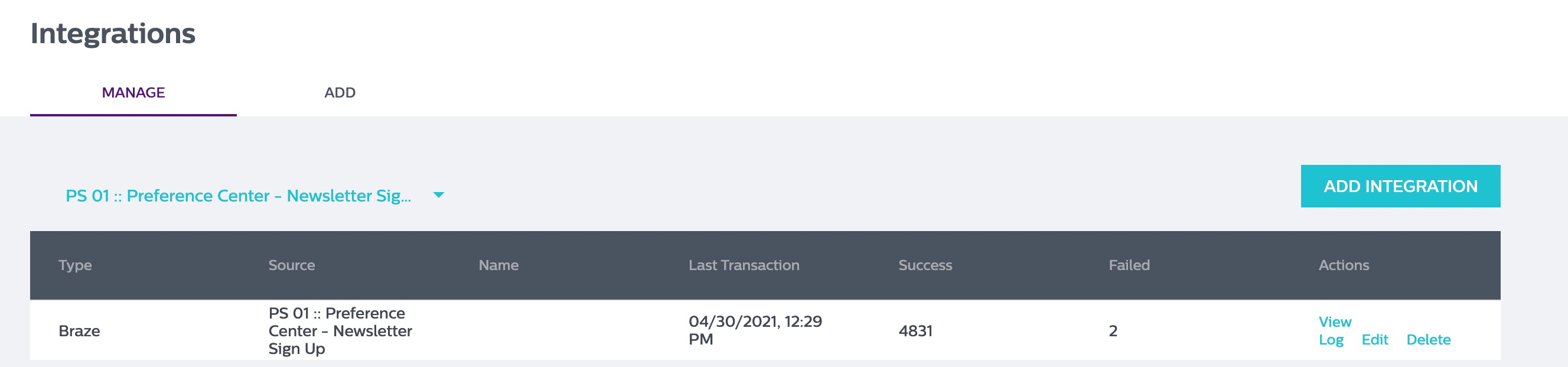
제출 실패의 경우, Braze에 데이터를 보낼 때, 실패한 제출 및 관련 오류 메시지를 검토하려면 로그 보기 링크를 클릭하십시오.
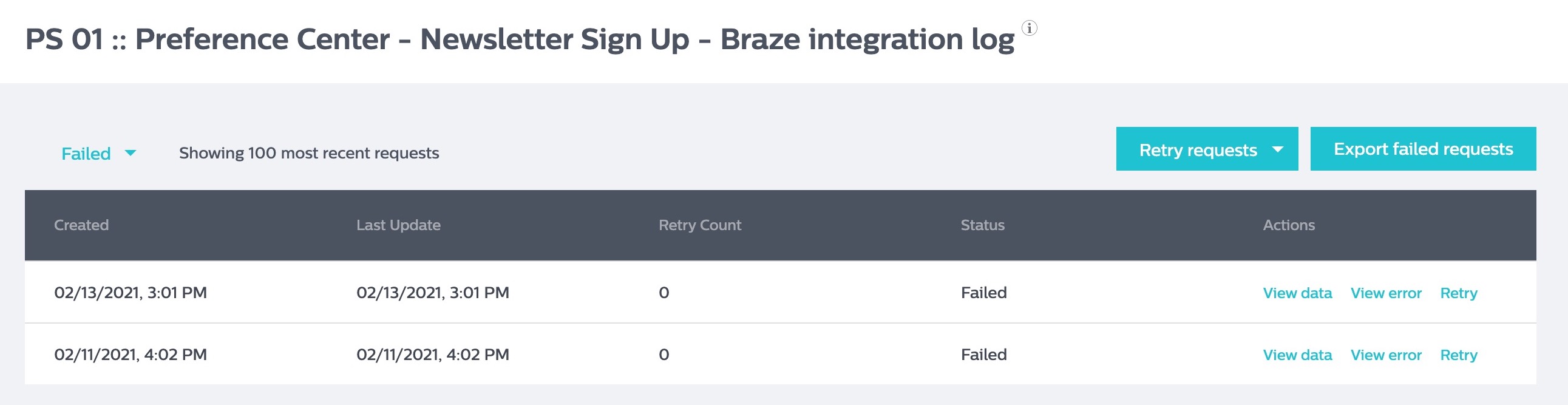
로그 페이지에는 실패한 제출, 재시도 횟수, 제출의 데이터, 오류 및 제출을 다시 푸시하는 링크가 표시됩니다.
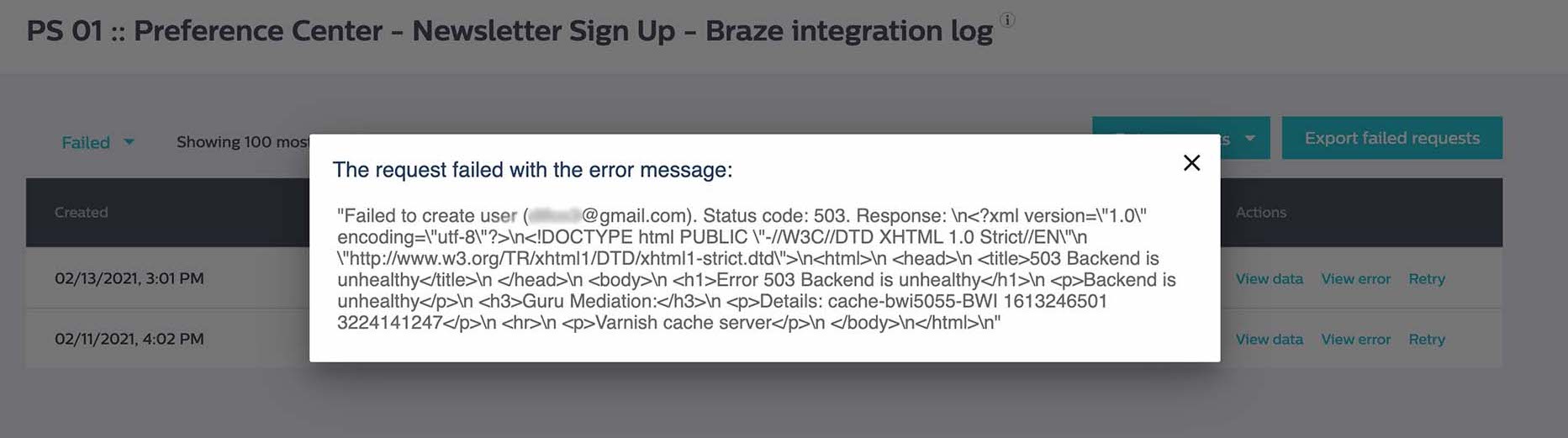
오류 보기 섹션은 오류 코드와 오류의 원인에 대한 추가 정보를 표시합니다. 그런 다음 오류 코드를 Braze와 대조하여 원인을 확인할 수 있습니다.
추가 질문이 있는 경우 Wyng 지원팀([email protected])에 문의하여 도움을 받으세요.
 GitHub 에서 이 페이지를 편집합니다.