Digioh
Digioh는 리스트 성장, 퍼스트파티 데이터 수집, 그리고 해당 데이터를 Braze 캠페인에 사용할 수 있도록 지원합니다.
This integration is maintained by Digioh.
통합 정보
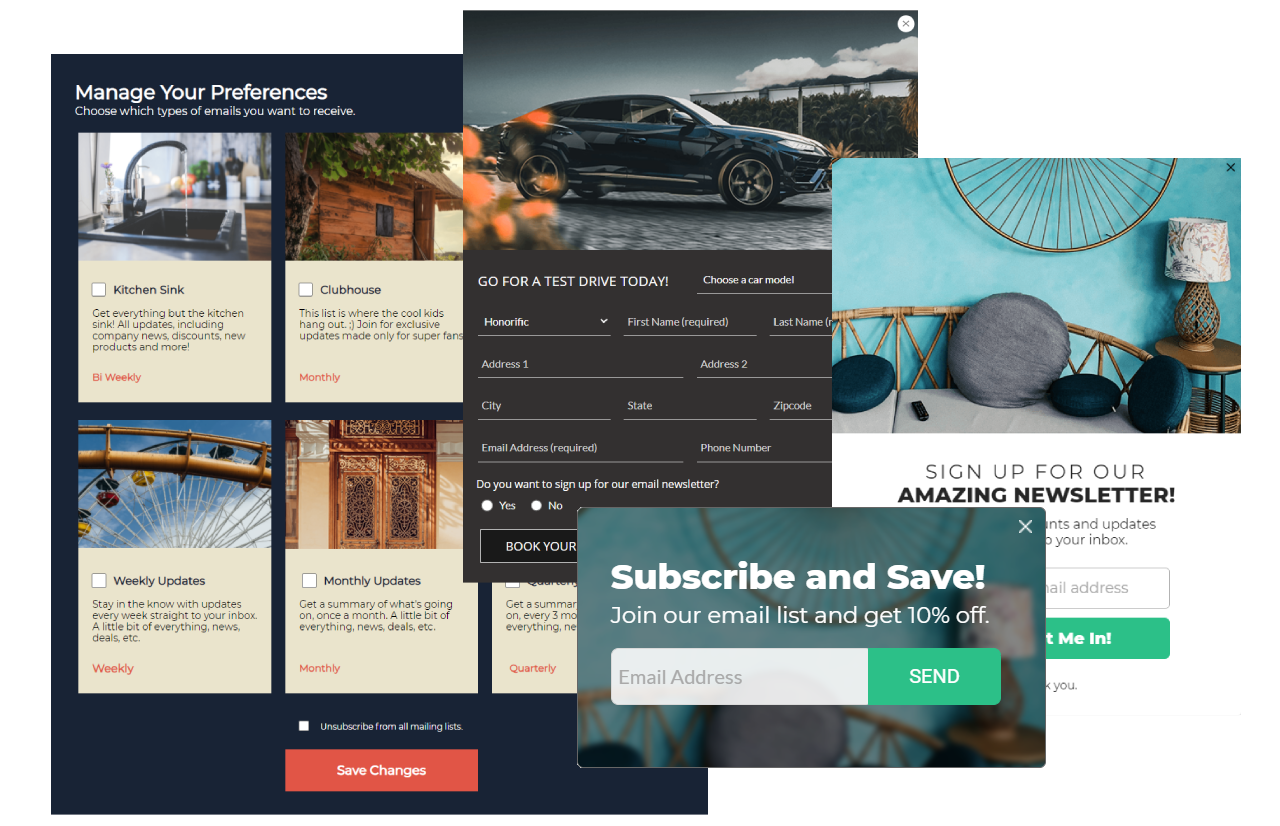
Braze와 Digioh 통합을 통해 드래그 앤 드롭 빌더를 사용하여 온브랜드 양식, 팝업, 환경 설정 센터, 랜딩 페이지, 설문조사를 만들어 고객과 연결할 수 있습니다. Digioh는 통합 설정을 지원하고 첫 번째 캠페인을 구축, 디자인 및 실행할 수 있습니다.
필수 조건
| Requirement | Description |
|---|---|
| Digioh account | A Digioh account is required to take advantage of this partnership. |
| Braze REST API key | A Braze REST API key with users.track permissions. This can be created in the Braze dashboard from Settings > API Keys. |
Braze API /users/track/ endpoint |
Your REST endpoint URL with the /users/track/ details appended to it. Your endpoint will depend on the Braze URL for your instance.For example, if your REST API endpoint is https://rest.iad-01.braze.com your /users/track/ endpoint will be https://rest.iad-01.braze.com/users/track/. |
Integration
To integrate Digioh, you must first configure the Braze connector. When completed, you will need to apply the integration to a lightbox (widget). Visit Digioh to read more about integration basics.
Step 1: Create Digioh integration
In Digioh, click the Integrations tab and then the New Integration button. Braze 드롭다운에서 통합을 선택하고 통합의 이름을 지정합니다.
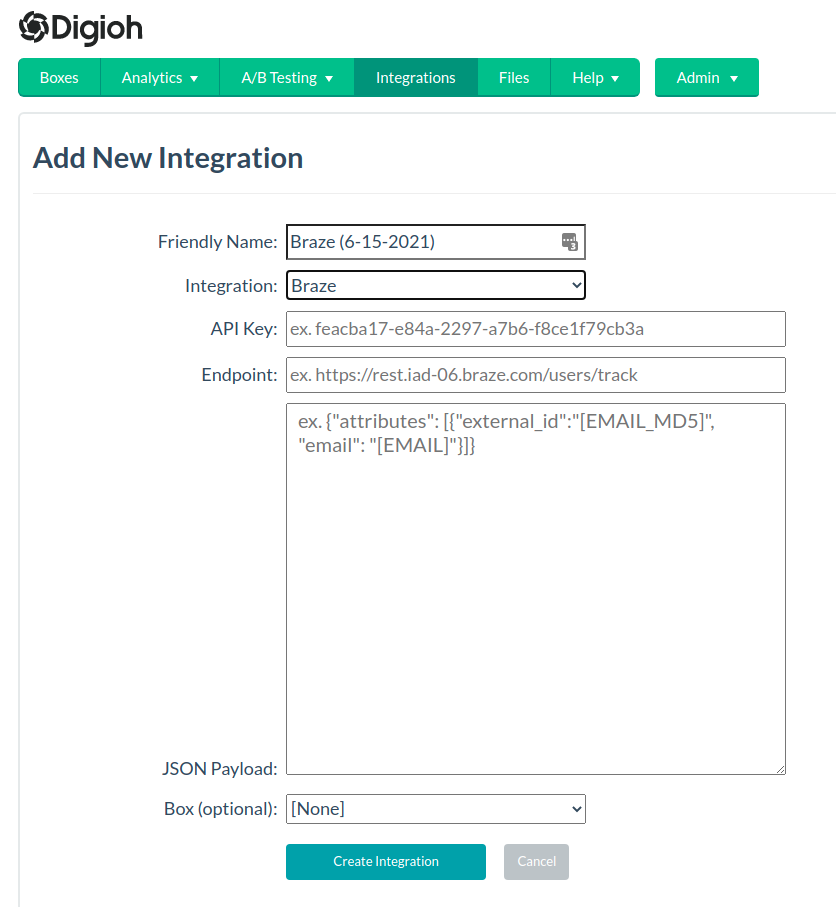
다음으로, Braze REST API 키와 Braze API /users/track/ 엔드포인트를 입력합니다.
Lastly, use the map fields section to map additional custom fields beyond email and name. The following code snippet shows an example payload. When completed, select Create Integration.
1
2
3
4
5
6
7
8
{
    "attributes" : [
         {
           "external_id": "[EMAIL_MD5]",
           "email" : "[EMAIL]"
         }
     ]
}
Step 2: Create a Digioh lightbox
Use the Digioh design editor to build a lightbox (widget).
Interested in seeing a gallery of ways to leverage the design editor? Visit the Digioh theme gallery.
Step 3: Apply integration
To apply this integration to a Digioh lightbox, navigate to the Boxes page and select Add or Edit link in the Integrations column. 이것은 편집기의 통합 섹션에서 추가할 수도 있습니다.
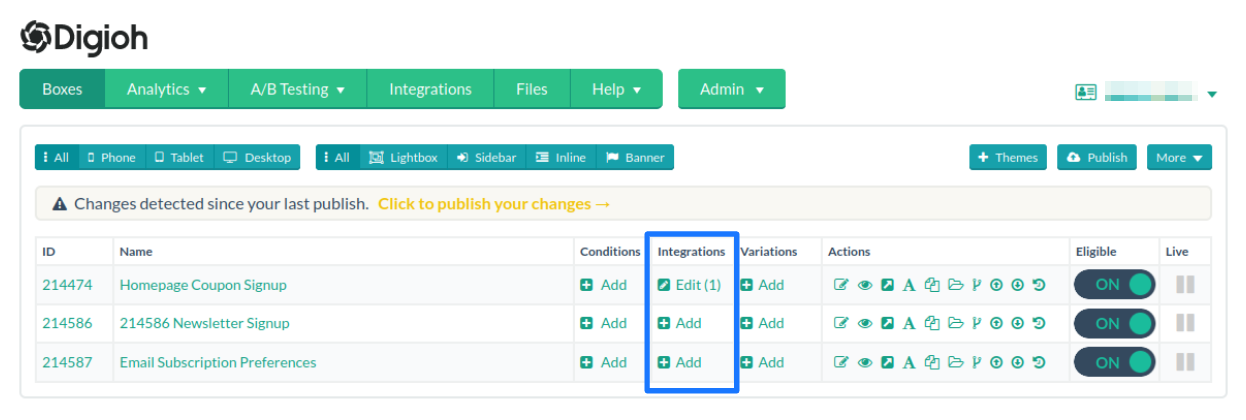
여기에서 통합 추가를 선택하고 원하는 통합을 선택한 다음, 저장합니다. Digioh will now pass your captured leads to Braze in real-time.
 GitHub 에서 이 페이지를 편집합니다.