Optimize A/B tests with BrazeAI
Turn on Optimize with BrazeAI™ to automatically optimize a campaign with multiple variants. The optimization method depends on whether the campaign sends once or sends multiple times.
Optimize with BrazeAI finds one winner for your campaign audience. For Canvas path tests, see Winning Paths. To generate and mix content variants for the audience, see Content Optimizer. For per-recipient personalization, see Decisioning Studio Go. For a full comparison of BrazeAI features, see BrazeAI.
Prerequisites
To use Optimize with BrazeAI™, your campaign must include at least two message variants.
For a multi-send campaign, you must also:
- Define at least one conversion event.
- Set the re-eligibility window to 24 hours or longer.
Turn on optimization
In the Target Audiences step, go to A/B Testing, then turn on Optimize with BrazeAI™.
Single-send campaigns
For a single-send campaign, Braze sends an initial portion of the audience to each variant. After the experiment duration ends, BrazeAI™ selects the best-performing variant and sends it to the remaining audience.
Braze applies recommended settings when you turn on optimization. To change these settings, open Advanced controls:
- Optimization Goal: Select the metric that BrazeAI™ uses to compare variants. The available goals depend on the channel.
- Experiment duration: Select 4 hours, 24 hours, 72 hours, or enter a custom duration.
- Variant distribution: Change the percentage assigned to each variant or control group.
The default experiment duration is 4 hours. If you optimize for a primary conversion event, the default is 24 hours.
Default optimization goals by channel
| Channel | Default goal |
|---|---|
| Push notifications | Opens |
| Unique Clicks | |
| SMS, MMS, RCS, and WhatsApp | Clicks |
| Other supported channels | Primary Conversion Event - A |
Multi-send campaigns
For recurring, action-based, and API-triggered campaigns that send multiple times, BrazeAI™ continuously optimizes the distribution of your audience. After the initial conversion deadline, Braze reviews performance every 12 hours and sends more users to better-performing variants.
The initial distribution may be even while BrazeAI™ gathers performance data. The distribution changes as the optimization identifies performance trends.
Open Advanced controls to add or remove a control group. A control group provides a baseline for measuring campaign performance and doesn’t receive a message.
Reporting
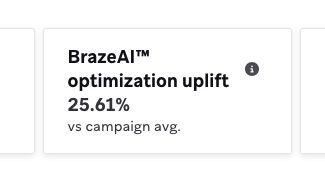
After a single-send experiment completes, or after a multi-send campaign has collected enough data, the Campaign Analytics page shows the uplift produced by the optimization.
For more information, see A/B testing analytics.
Frequently asked questions
Why can’t I turn on Optimize with BrazeAI™?
Optimization isn’t available when:
- The campaign has fewer than two active variants.
- A multi-send campaign has no conversion events.
- A multi-send campaign has a re-eligibility window shorter than 24 hours.
Why do my variants have similar send counts at first?
BrazeAI™ begins with an initial distribution to gather performance data. It adjusts the distribution over time as it identifies performance trends.
Can a multi-send campaign stop optimizing without selecting one variant?
Yes. Optimization stops when BrazeAI™ has 95% confidence that continuing the experiment won’t improve the conversion rate by more than 1% of its current rate.