Knowledge sources
Knowledge sources are how agents search and retrieve catalog data as agent context. They help agents interpret catalog content and return the right rows and fields to meet your goals. Catalog Agents also receive row data from the catalog field they are deployed to; knowledge sources add searchable catalog context in + Agent context. For an introduction to Braze Agents, see Braze Agents. To add a knowledge source to an agent, see Create custom agents.
How it works
A knowledge source is a curated view of a catalog that you add as + Agent context. When you attach the knowledge source to an agent, you include only fields that support your use case. When an agent needs catalog information, it queries the knowledge source to retrieve matching rows. Braze returns only the relevant catalog data, not the full catalog, so the agent can work with focused, accurate context.
Let’s say you’re building an agent to recommend restaurants in New York City based on a user’s favorite cuisine, which is a custom attribute. This agent references the knowledge source for the “nyc_restaurants” catalog. When you attach that knowledge source to the agent, you include only the fields the agent needs—such as restaurant name, location, and cuisine—and exclude other catalog columns that don’t support recommendations.
The agent’s instructions clearly describe its role and constraints:
You are a restaurant recommendation agent. Use your knowledge to help find restaurants for the user. Only include filters in your knowledge source query. Don't ask any followup questions. The user's favorite cuisine is {{custom_attribute.${favorite_cuisine}}}
If a user’s favorite cuisine is pizza, the agent can return the following response based on the knowledge source:
Here are some pizza recommendations for you:
- Dale's Pizza (Greenwich Village, Manhattan): Dale's Pizza invites you to savor the taste of authentic New York. Nestled in the heart of Manhattan, this iconic pizzeria offers a warm and inviting atmosphere perfect for any occasion.
- Pizza Palace (Carroll Gardens, Brooklyn): Pizza Palace is a highly-rated culinary gem renowned for its exquisite pizza. This inviting spot offers a warm and modern dining experience.
Create a knowledge source
To create a knowledge source:
- Go to Agent Console > Knowledge Sources.
- Select Add knowledge source. In the dropdown, select Catalog.
- Select the catalog from the dropdown.
- (optional) Add a description to describe what the knowledge source contains.
- Select Create knowledge source.
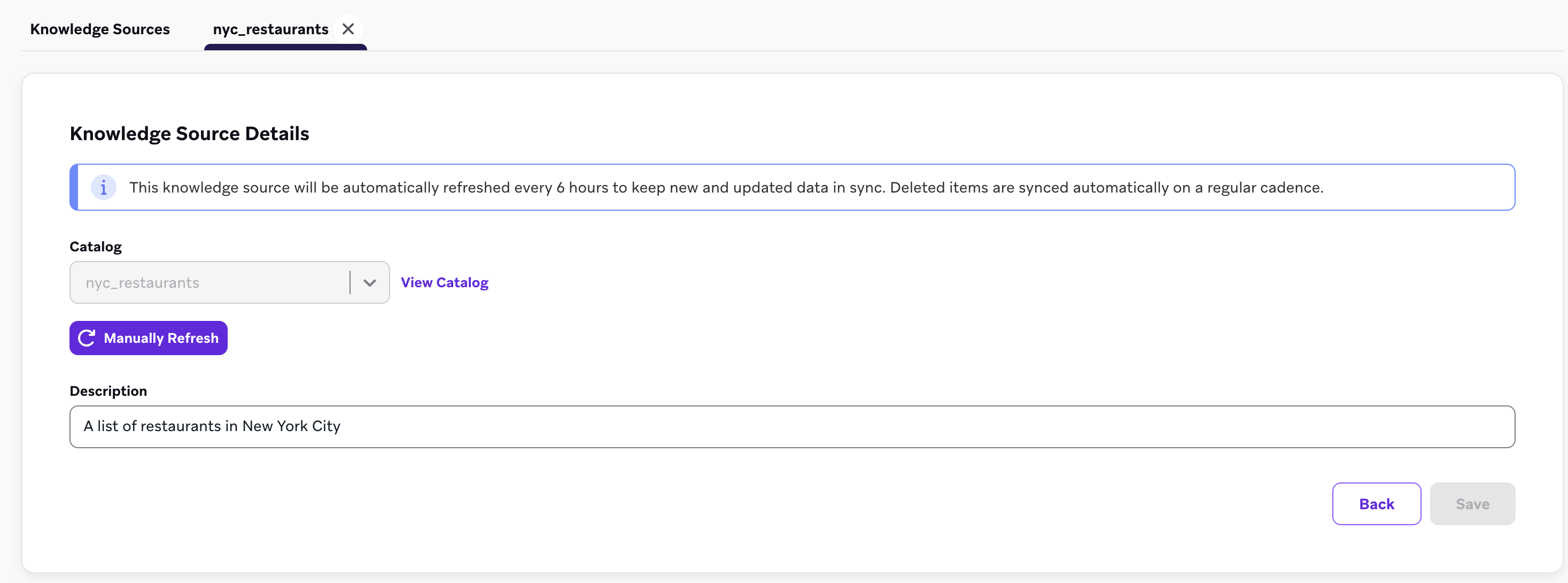
You can also create a knowledge source as you’re building an agent by going to the Instructions section of your agent. Select Add knowledge > Create knowledge source.
Use a knowledge source in your AI agent
You can manage knowledge sources from the Knowledge Sources section. Here, you can see details such as which knowledge sources are active and when they were last synced. Note that the name of the knowledge source matches the name of the catalog used as the source.
To use a knowledge source in your AI agent:
- Go to the Instructions section of your agent.
- Select + Agent context > Add knowledge.
- From the dropdown, select the knowledge source.
- Select Configure fields for the knowledge source, then uncheck any catalog fields the agent shouldn’t use when searching.
Including every catalog field can add unnecessary context and may reduce output quality. Unchecking fields that aren’t relevant to your use case helps the agent focus on the data that matters.
Now, your agent can reference the knowledge source and retrieve the relevant catalog data.
For Conversational Agents, add a knowledge source as a tool in a workflow step instead of + Agent context. See Search knowledge sources.
Frequently asked questions
How do knowledge sources work?
Converting a catalog into a knowledge source helps Braze Agents understand the true meaning behind the words and phrases in the catalog, so that agents can more effectively find meaningful data to drive better outputs.
When should I create a knowledge source?
Create a knowledge source when an agent needs to search or retrieve catalog data—for example, to look up destinations, products, or restaurants during a Canvas journey, or to answer product and FAQ questions in a conversational workflow. Knowledge sources are the supported way to add that searchable catalog context. Catalog Agents that only enrich the row they are deployed to may not need a knowledge source unless they must reference additional catalog data at runtime.
Can I still attach a catalog directly as agent context?
No. New agents use knowledge sources instead of the legacy Add catalog fields option. If an existing agent was configured with the legacy Add catalog fields option, you can keep using it while you migrate to an equivalent knowledge source.
If an agent has been given a knowledge source as context, do I also need to assign the original catalog as context?
No. The knowledge source is the catalog reference for the agent—you don’t need to attach both. When you attach the knowledge source to the agent, include only the catalog fields your agent needs.
How should I evaluate the effectiveness of a knowledge source?
Duplicate any existing agent that still attaches a catalog directly as context, and switch it to use the equivalent knowledge source instead. Run a few test invocations in Agent Console to ensure accuracy, and then consider either replacing the existing agent where it’s being deployed, or A/B testing the old agent against the new agent (using Experiment Path step) to understand performance impact.