Segment for Currents
Segment is a customer data platform that helps you collect, clean, and activate your customer data. This reference article gives an overview of the connection between Braze Currents and Segment and describes requirements and processes for proper implementation and usage.
The Braze and Segment integration allows you to leverage Braze Currents to export your Braze events to Segment to drive deeper analytics into conversions, retention, and product usage.
Prerequisites
| Requirement | Description |
|---|---|
| Segment account | A Segment account is required to take advantage of this partnership. |
| Braze destination | You must have already set up Braze as a destination in your Segment integration. This includes providing the correct Braze data center and REST API key in your connection settings. |
| Currents | In order to export data back into Segment, you need to have Braze Currents set up for your account. |
Integration
Step 1: Obtain Segment write key
In your Segment dashboard, select your Segment source. Next, go to Settings > API keys. Here you find the Segment Write Key.

It’s important to keep your Segment write key up to date. If your connector’s credentials expire, the connector stops sending events. If this persists for more than 5 days, the connector’s events are dropped, and data is permanently lost.
Step 2: Create a new Currents connector
- In Braze, navigate to Partner Integrations > Data Export.
- Select + Create New Current > Segment Data Export.
- Next, provide an integration name, contact email, Segment write key, and Segment region.
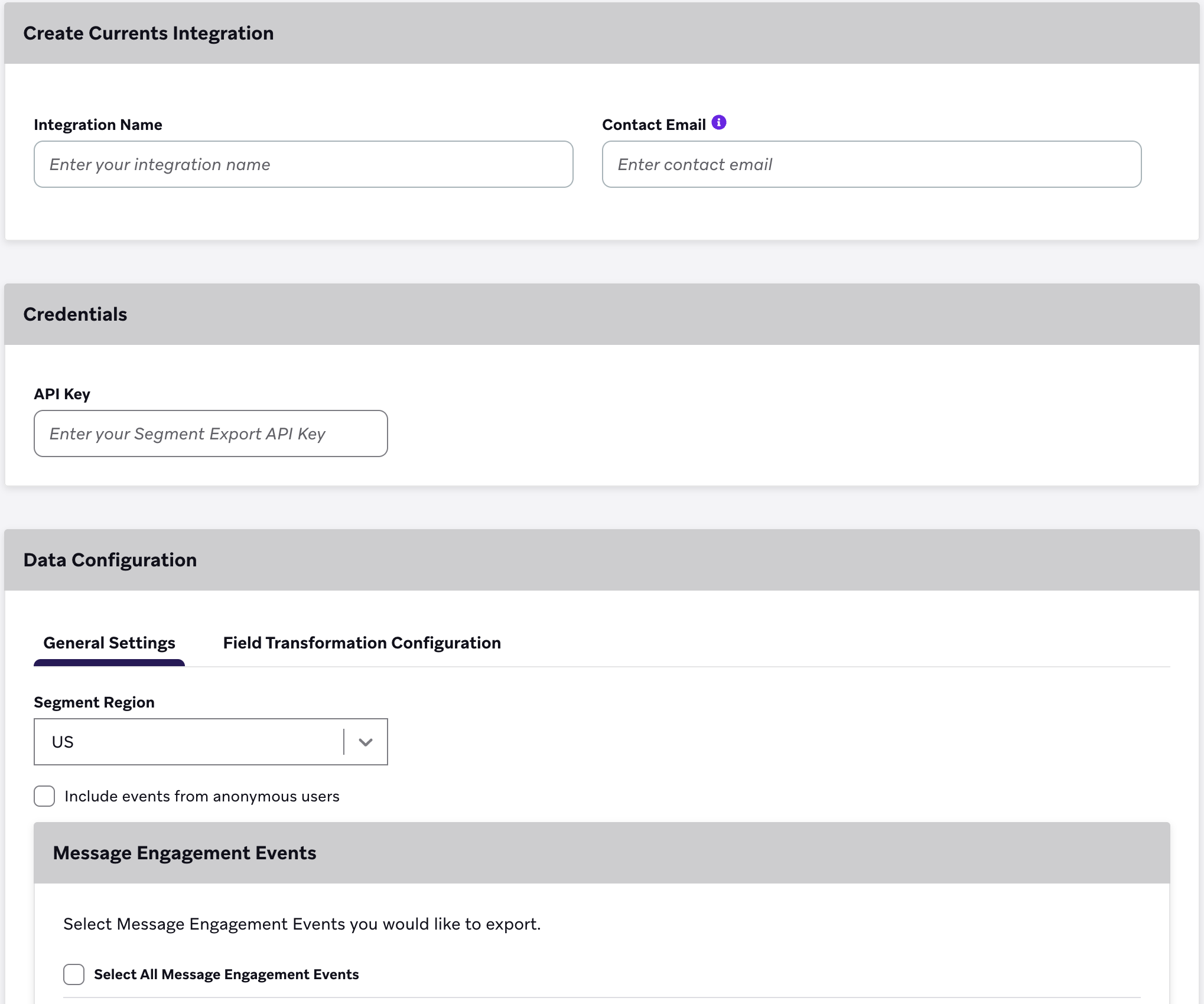
Step 3: Export message engagement events
Next, select the message engagement events you want to export. Reference the following export events and properties table listed. All events sent to Segment include the user’s external_user_id as the userId and the user’s braze_id as the anonymousId.
Keep in mind, Braze only sends event data for users without an external_user_id if Include events from anonymous users is checked.

Anonymous user export is currently in early access. Contact your Braze account manager if you’re interested in participating in the early access.
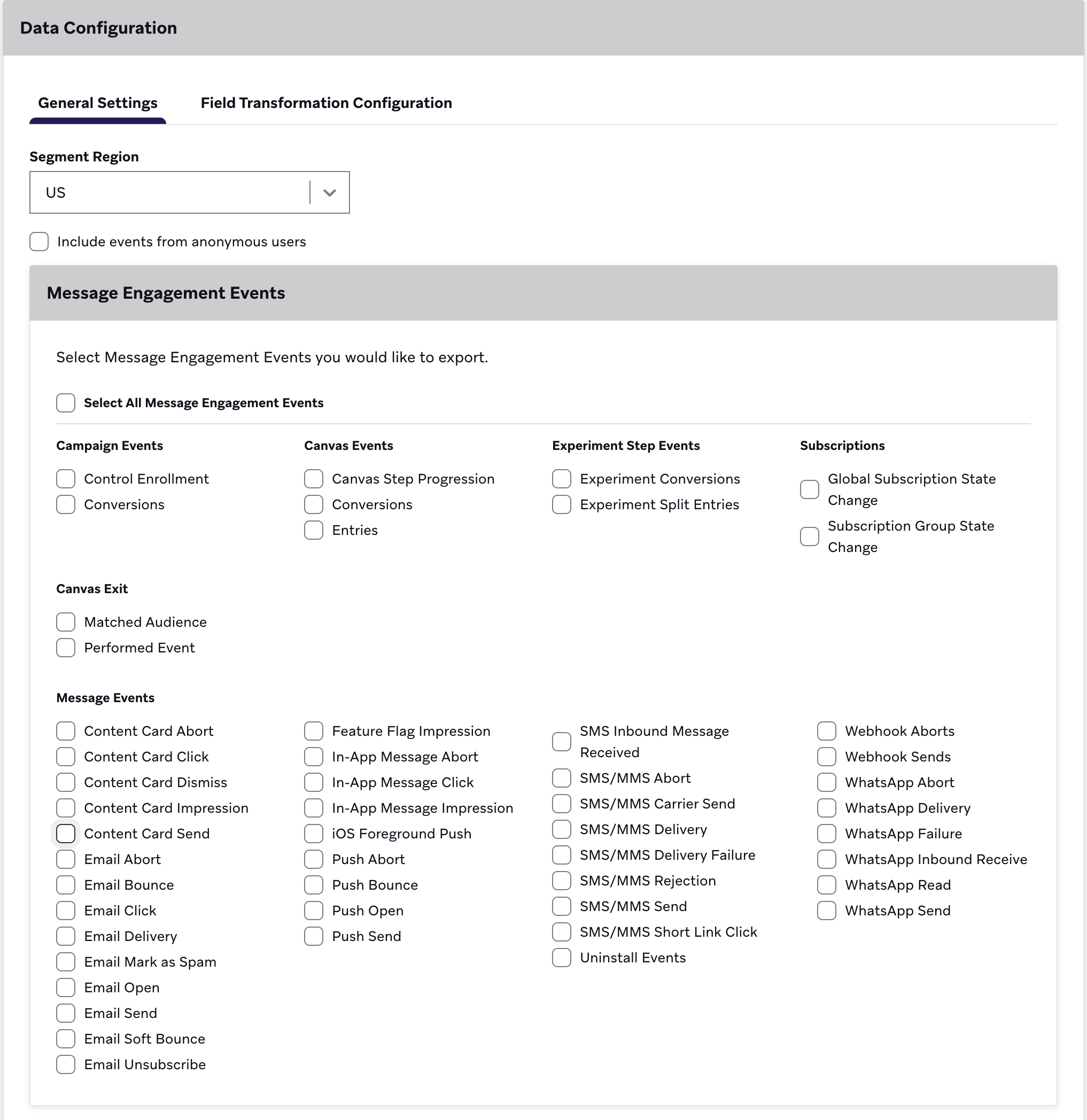
Lastly, select Launch Current.
If you intend to create more than one of the same Currents connectors (for example, two message engagement event connectors), they must be in different workspaces. Because the Braze Segment Currents integration cannot isolate events by different apps in a single workspace, failure to do this will lead to unnecessary data deduping and lost data.
To read more, visit Segment documentation.
Updating your Current
To update your Currents connector after launching, do the following:
- In Braze, navigate to Partner Integrations > Data Export.
- Locate and your Currents connector in the list.
- Select Edit.
- Make your changes.
- Select Update Current.
This will not stop your existing export and will begin sending events according to your new selection.

It may take some time for your changes to take effect.
Supported Currents events
Braze supports exporting the following events to Segment:
For the payload structure of each event, select the Segment tab in the message engagement events glossary and customer behavior events glossary.