Bring Your Own WhatsApp connector
The Bring Your Own (BYO) WhatsApp connector offers a partnership between Braze and Infobip, in which you give Braze access to your Infobip WhatsApp Business Manager (WABA). This allows you to manage and pay for messaging costs directly with Infobip while using Braze for segmentation, personalization, and campaign orchestration. Braze maintains all existing functionality that the WhatsApp channel offers, such as outbound messages, inbound message processing, WhatsApp flows, and analytics.
Requirements
| Requirement | Description |
|---|---|
| Infobip account | An Infobip account is required to use the BYO WhatsApp connector. |
| Messaging credits | You consume Braze messaging credits when you send WhatsApp messages. |
| WhatsApp requirements | Complete all WhatsApp requirements. |
| Phone number | We suggest you acquire a phone number through Infobip for convenience. |
Set up
Before setting up the BYO WhatsApp connector, confirm that your WhatsApp Business Account’s previous sending hasn’t been done through Infobip.
Supported cases
- WhatsApp Business Account and phone number have never been connected to a partner before
- WhatsApp Business Account is connected directly to Braze through the native integration.
- Follow the steps in WhatsApp phone number migration to migrate your phone numbers to a new WhatsApp Business Account one phone number at a time.
- WhatsApp Business Account is connected to a different solution provider from Braze and Infobip
- Follow the steps in WhatsApp phone number migration to migrate your phone numbers to a new WhatsApp Business Account one phone number at a time.
Step 1: Retrieve Infobip account information
- In Infobip, identify the account that you want to use with your WhatsApp Business Account.
- Go to Developer Tools > API Keys and select Create API Key.
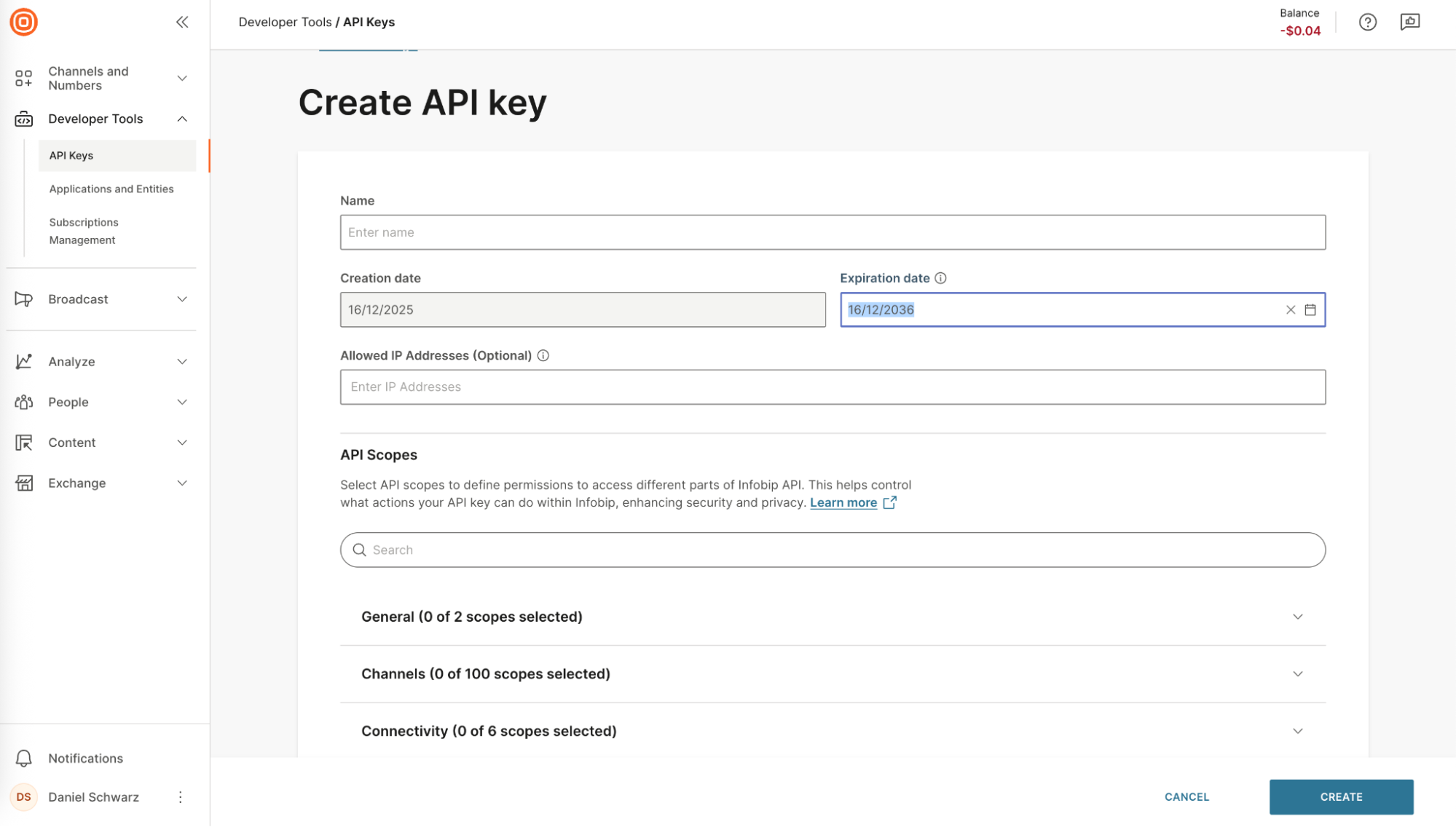
- Give the key a meaningful name, such as “Braze - My Workspace Name - My WABA Name”.
- Add an expiry date that is far into the future to avoid issues with token expiration.
- Make a note to generate a new API key and reconnect your WABA before the expiry date.
- Select these scopes:
Message:sendWhatsapp:manageWhatsapp:message:sendAccount-management:manageSubscriptions:manageMetrics:manage
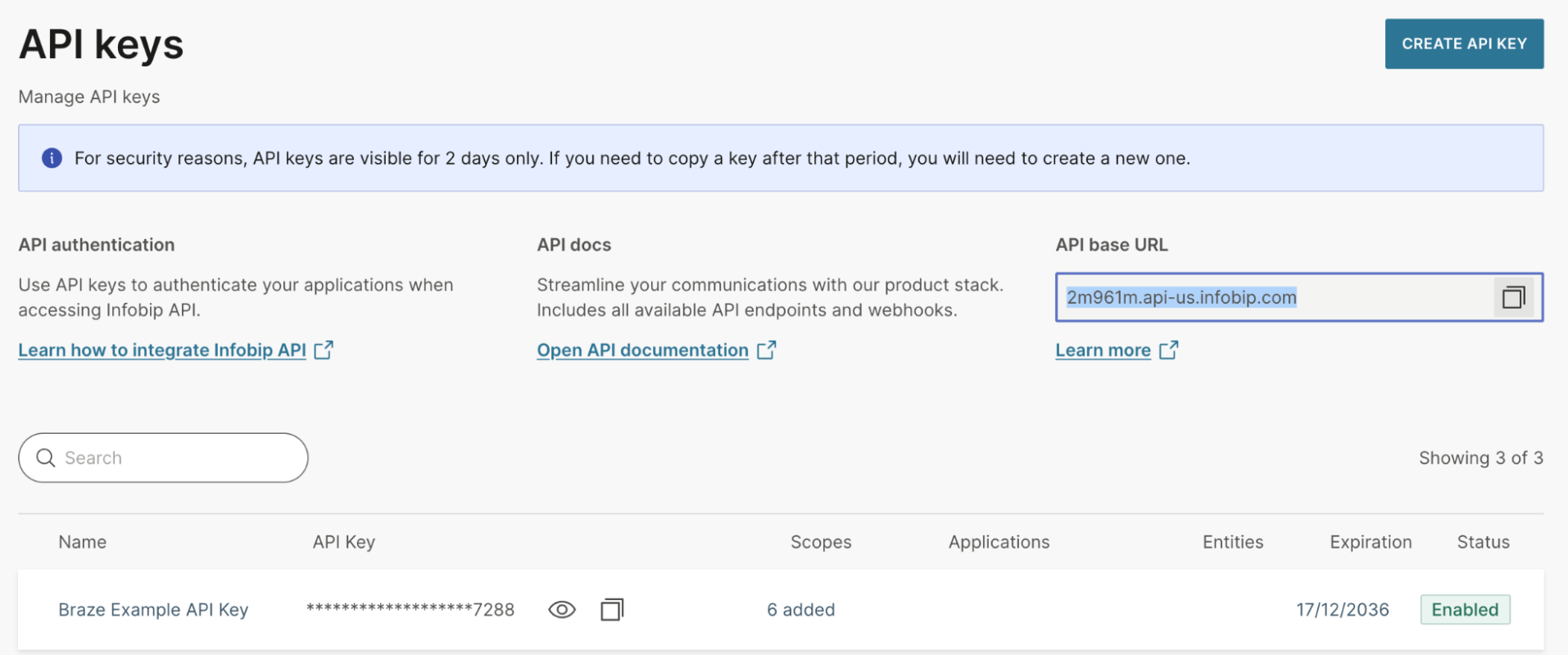
- After creating the key, copy the API Key.
- The key can only be copied for a limited time after creation. You can repeat these steps to create a new key if you need to connect another WhatsApp Business Account in the future.

- Copy the account API base URL.
Step 2: Start the embedded signup
- In Braze, go to Partner Integrations > Technology Partners > WhatsApp
- Select the BYO Connector - Infobip tab.
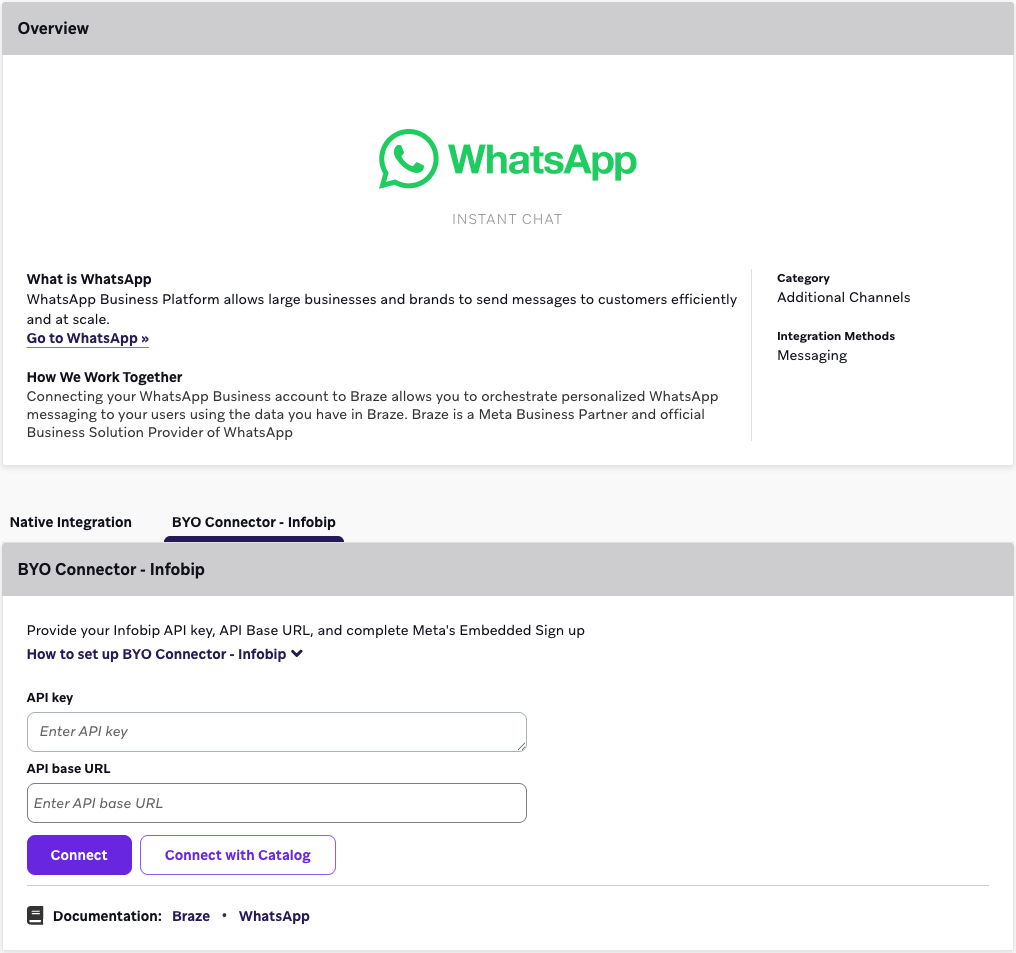
- Enter the API key and base URL from Step 1.
- Select Connect.
- Proceed through the Embedded Signup workflow with these considerations:
- You can’t select the same business portfolio that is used by a different Business Solution Provider.
- You can’t select a phone number that’s used by another Business Solution Provider.
- You must create a new WABA, not select an existing one.
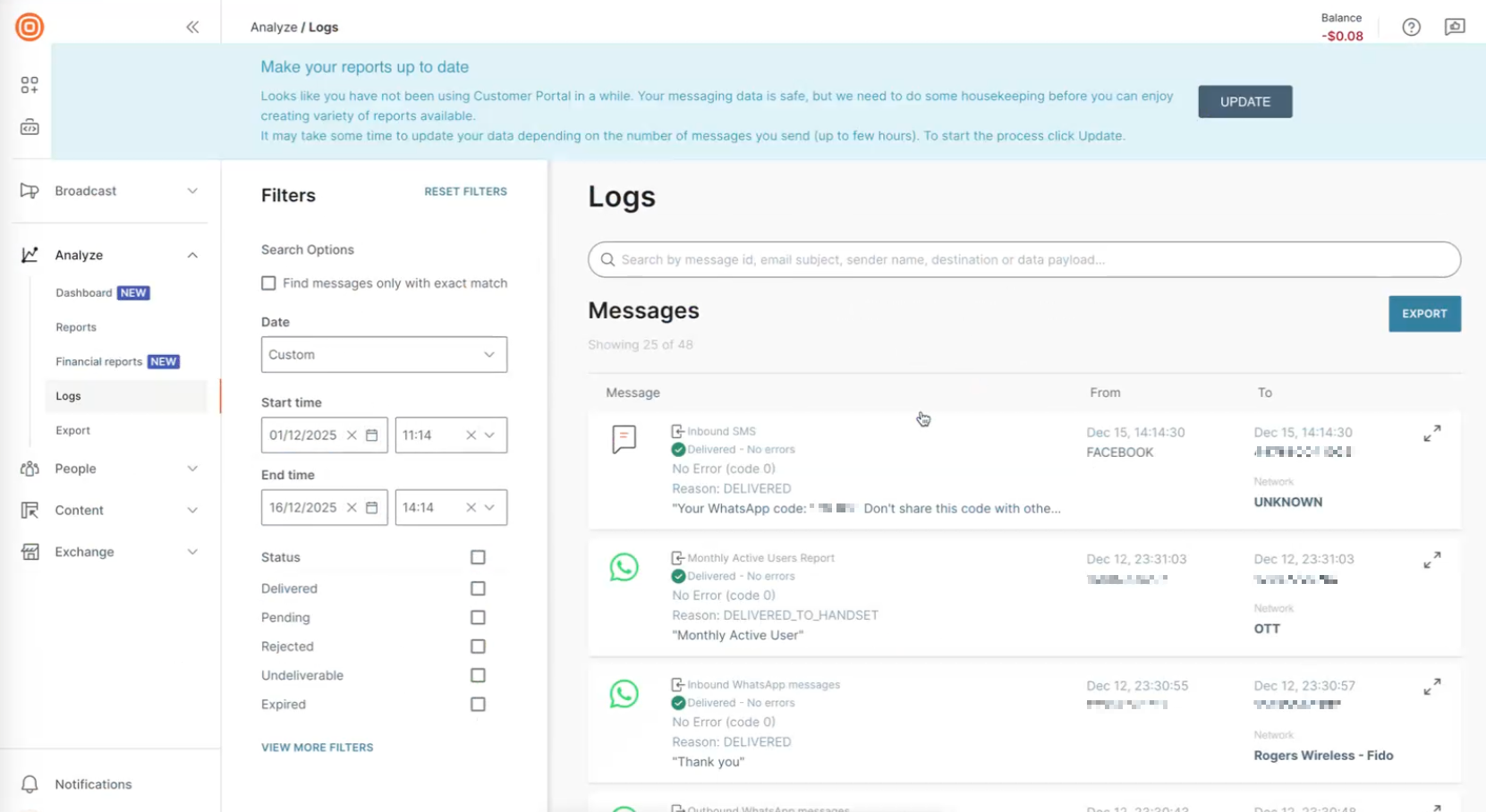
To receive the verification code, go to your Infobip dashboard > Analyze > Logs, and pull the code from the inbound SMS message.
After completing setup, your phone number is listed as a subscription group under your WhatsApp Business Group. The WhatsApp Business Group contains the Infobip account name and API base URL it’s connected to. Accounts connected through the native integration do not have an Infobip account name.
Connect each WhatsApp Business Account to a single Infobip account. Each time you connect an additional phone number or subscription group, if the WhatsApp Business Account is already connected to an Infobip account, you must re-enter the API credentials for the existing account.
Step 3: Sending messages
Follow the native integration sending process, including:
Troubleshooting setup
Couldn’t retrieve WhatsApp Business Account ID
Confirm your WhatsApp Business Account isn’t connected to a different Braze workspace.
Couldn’t share WhatsApp Business Account ID with Infobip
- Confirm your WhatsApp Business Account isn’t connected to Braze or another partner.
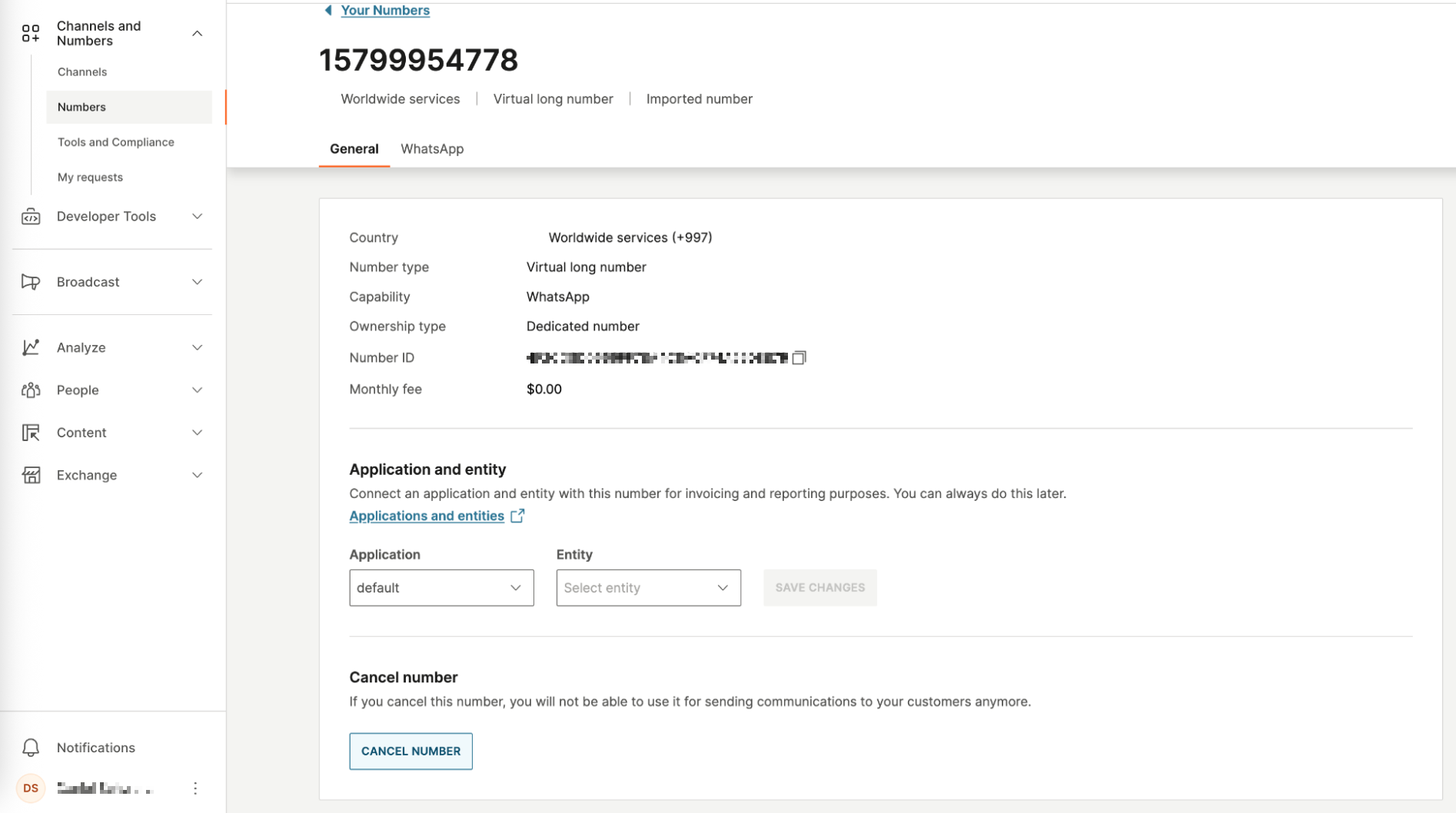
- Confirm no phone numbers in your WhatsApp Business Account are connected to a different Infobip account. For imported numbers, you can find the number in Infobip and select Cancel number.
Considerations
While all existing functionality with Braze is supported, these use cases are currently not supported.
| Use case | Reason |
|---|---|
| Processing inbound messages in Braze and Infobip | This prevents logic trains that are triggered by either system, consequently generating duplicate and potentially contradictory message threads. |
| Sending messages from Braze and Infobip | For WhatsApp Business Accounts connected to Braze, all sending originates from Braze. |
 Edit this page on GitHub