In-app messages
In-app messages help you get content to your user without interrupting their day with a push notification, as these messages don’t deliver outside of the user’s app and won’t intrude on their home screen.
Customized and tailored in-app messages enhance the user experience and help your audience get the most value out of your app. With a variety of layouts and customization tools to choose from, in-app messages engage your users more than ever before. They come with context, have lower urgency, and are delivered when the user is active within your app. For examples of in-app messages, check out our customer stories.
Use cases
With the rich level of content offered by in-app messages, you can leverage this channel for a variety of use cases:
| Use case | Explanation |
|---|---|
| Push priming | Run a push priming campaign using a rich in-app message to show your customers the benefit of opting into push for your app or site, and present them with a prompt to grant push permission. |
| Sales and promotions | Use modal in-app messages to greet customers with visually appealing media containing static promotion codes or offers. Incentivize them to make purchases or conversions when they otherwise wouldn’t have. |
| Encouraging feature adoption | Encourage customers to use other parts of your app or take advantage of a service. |
| Highly personalized campaigns | Place in-app messages as the first thing your customers see when they enter your app or site. Add in some Braze personalization features, such as Connected Content, to compel users to take action and therefore make your outreach more effective. |
Other use cases to consider include the following:
- New app features
- App management
- Reviews
- App upgrades or updates
- Giveaways and sweepstakes
Standard message types
The following tabs show what it looks like for your users to open one of our standard in-app message types—slide-up, modal, and fullscreen in-app messages.
Modals appear in the center of the device’s screen with a screen overlay that helps it stand out from your app in the background. These are perfect for not-so-subtly suggesting that your user take advantage of a sale or giveaway.

Fullscreen messages are exactly what you’d expect—they take up the whole screen of the device! This message type is great when you really need your user’s attention, like for mandatory app updates.
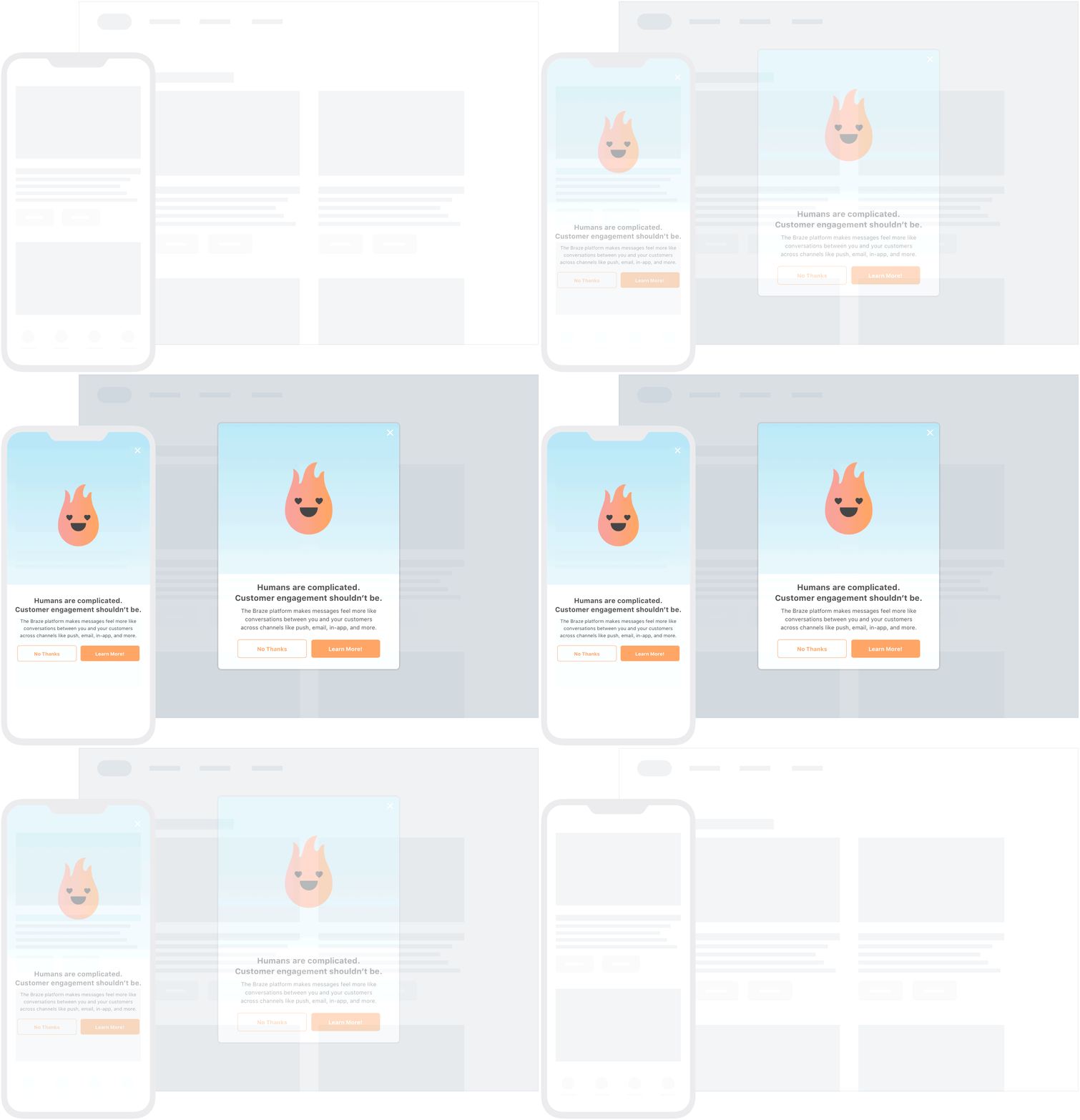
In addition to these default message templates, you can also further customize your messaging using custom HTML in-app messages, web modals with CSS, or web email capture forms. For more information, refer to Customization.
Templated in-app messages
In-app messages are delivered as templated in-app messages when Re-evaluate campaign eligibility before displaying is selected or if any of the following Liquid tags exist in the message:
canvas_entry_propertiesconnected_content- SMS variables such as
{sms.${*}} catalog_itemscatalog_selection_itemsevent_properties
This means that during session start, the device will receive the trigger of that in-app message instead of the entire message. When the user triggers the in-app message, the user’s device will make a network request to fetch the actual message.
The message will not be delivered if the device doesn’t have access to the internet. The message might not be delivered if the Liquid logic takes too long to resolve.
Abort behavior
At Braze, an abort occurs when a user takes an action that makes them eligible to receive a message, but they don’t receive the message because its Liquid logic marks them as ineligible. For example:
- Sam performs an action which should trigger an email campaign.
- The email’s body contains Liquid logic that says if a custom attribute score is less than 50, do not send this email.
- Sam’s custom attribute score is 20.
- Braze recognizes that Sam shouldn’t receive this email, and the email is aborted.
- An abort event is logged.
However, because in-app messages are a pull channel, aborts work a little differently for them.
In-app message abort behavior
In-app messages are pulled in by the device at session start and cached on the device, so regardless of Internet connection quality, the message can be delivered instantly to the user. For example, if a user receives five in-app messages within their session, they will receive all five on session start. The messages will be cached locally and appear when their defined trigger events occur (session start, user clicks a button which logs a custom event, or other).
In other words, the logic that determines if we should abort an in-app message occurs before the trigger has occurred. To demonstrate this, let’s say Sam from the email example is subscribed to push notifications.
- Sam starts a session by launching a Braze-powered app on their phone.
- Based on the audience criteria of the active campaigns in the workspace, Sam could be eligible for five different campaigns. All five are pulled into their phone and cached.
- Sam has not performed any actions that would trigger these messages, but they could receive those messages in the session.
- The Liquid in two of the in-app messages has rules that exclude Sam from receiving the message (such as their score custom attribute not being high enough).
- Sam is not sent the two in-app messages that exclude them, but they are sent the other three messages.
- No abort events are logged.
Braze doesn’t log any abort events in Sam’s case because this doesn’t fulfill our definition of an abort; Sam did not perform any actions that would trigger the messages. For in-app messages, users never actually perform the trigger before Braze determines they shouldn’t see the message.
Templated in-app message abort behavior
Templated in-app messages force the SDK to reevaluate if a message should display when the trigger event occurs. This has a different abort behavior. To demonstrate, let’s consider this example:
- Sam starts a Braze session by launching a Braze-powered app on their phone.
- The audience criteria of the active campaigns say Sam could be eligible for a templated in-app message, so the trigger information is sent to their device without the message payload.
- Sam selects a button that logs a custom event, triggering the templated in-app message.
- Sam’s device makes a network request to fetch the in-app message.
- The message’s Liquid logic leads to an abort, so Braze logs this as an abort; Sam performed the trigger action prior to this evaluation.
Comparing in-app message abort behavior
This table compares the in-app message flows that Sam experienced:
| In-app message | Abort behavior |
|---|---|
| Standard | An abort event was not logged because Sam didn’t perform any actions that would trigger a message. Standard in-app messages don’t log aborts because the definition of an abort is “didn’t see the message despite performing the trigger action.” Because in-app messages are delivered to the device before the trigger actions occur, it doesn’t make sense to consider in-app messages omitted because of Liquid logic. |
| Templated | An abort event was logged because Sam performed the trigger action to trigger the templated in-app message, but received an abort in the Liquid templating. Templated in-app messages log aborts because the Liquid evaluation occurs after the trigger action has been performed. |
More resources
Before you get started with creating your own in-app message campaigns—or using in-app messages in a multi-channel campaign—we highly recommend that you check out our In-app message prep guide. This guide covers targeting, content, and conversion questions you should consider when building in-app messages.

Edit this page on GitHub