Delete users
Learn how to delete an individual user or a segment of users directly through the Braze dashboard.
Deleting users is currently in early access. Contact your customer success manager if you’re interested in participating.
Prerequisites
To delete users, you must be an admin or have Delete User permissions.
About user deletion
User deletion lets you manage your database by removing profiles that are no longer needed, created in error, or required to be deleted for compliance (such as GDPR or CCPA).
| Consideration | Details |
|---|---|
| Maximum size | You can delete up to 100 million user profiles when deleting a segment. |
| Waiting period | All segment deletions require a 7-day waiting period plus the time it takes to process deletions. |
| Job limits | Only one segment can be deleted at a single time, which includes the 7-day waiting period. |
Deleting users
You can delete an individual user or a segment of users through the Braze dashboard:
Deleting an individual
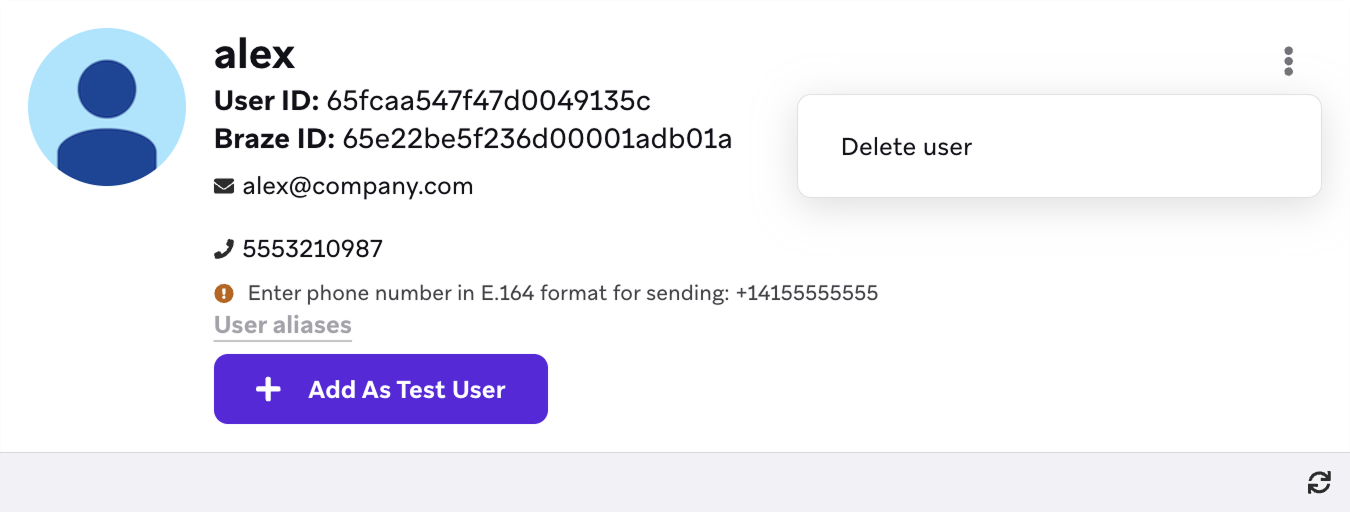
To delete an individual user from Braze, go to Audience > Search Users, then search for and select a user. If you’re deleting a duplicate user profile, verify that you’ve selected the right one.

Single-user deletions are permanent—profiles cannot be recovered after they’re deleted.
On their profile page, select Show options > Delete User. Keep in mind, it may take a few minutes for the user to be fully deleted in Braze.
Deleting a segment
If you haven’t already, create a segment containing the user profiles you want to delete. Be sure to include all user profiles if you’re deleting duplicate users.
In Braze, go to Audience > Manage Audience, then select the Delete Users tab.
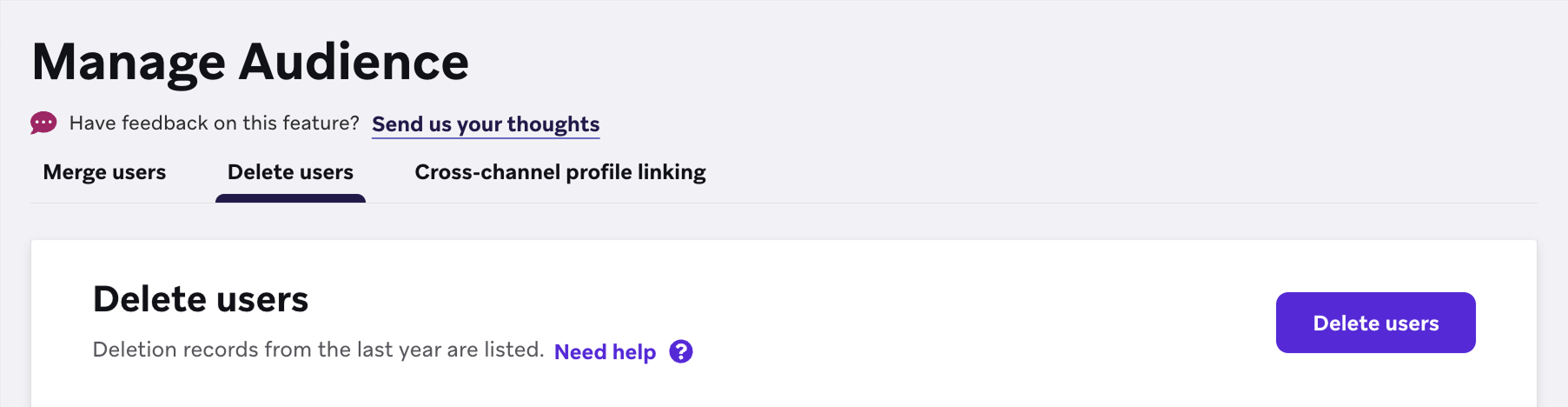
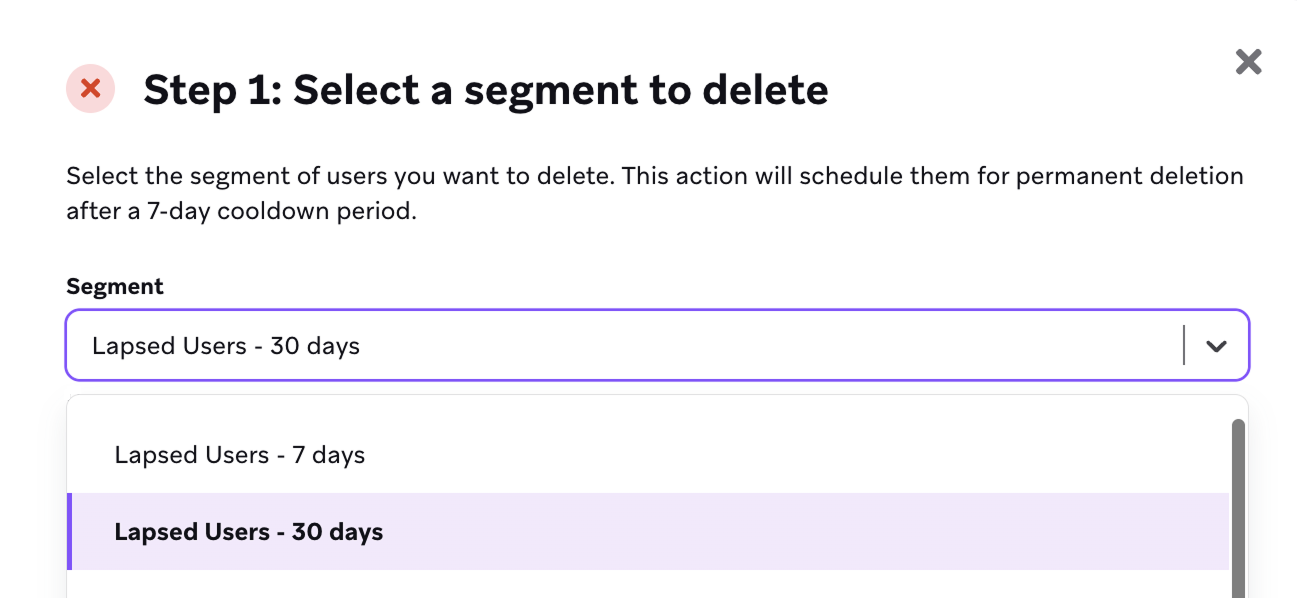
Select Delete users, choose the segment you want to delete, then select Next.
Type DELETE to confirm your request, then select Delete users.
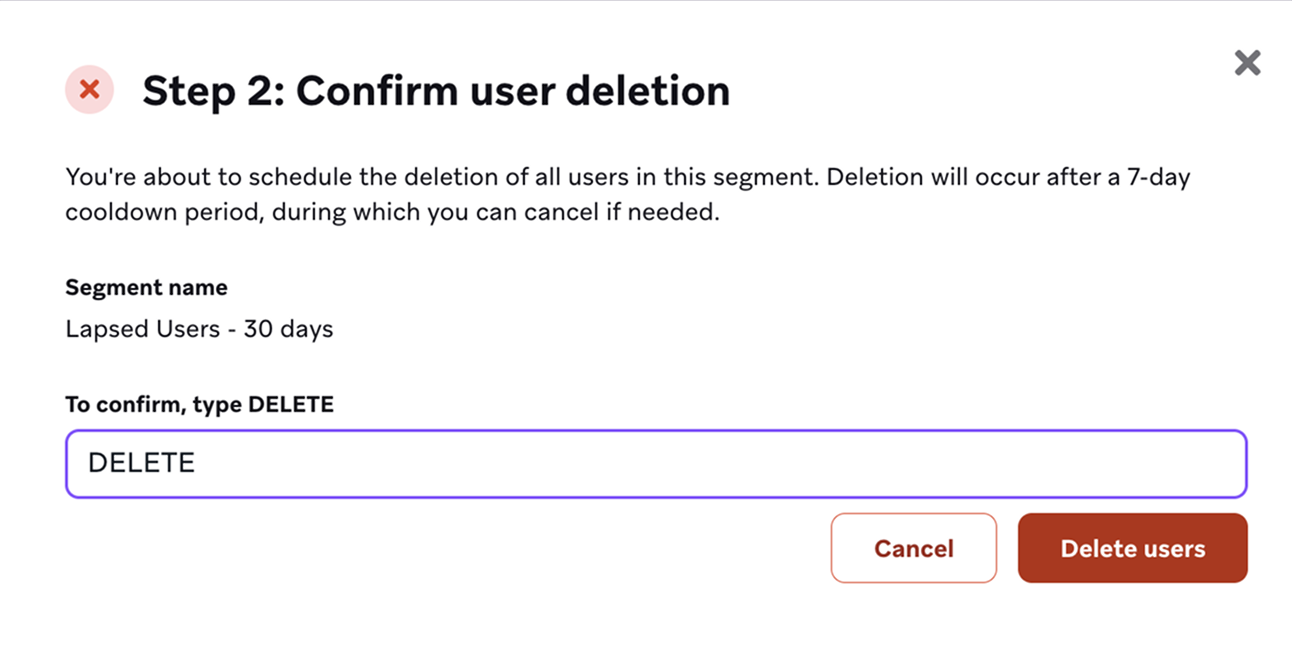
The users in this segment won’t be deleted immediately. Instead, they’ll be marked as pending deletion for the next 7 days. After this time, they’ll be deleted and we’ll email you to let you know.
To ensure that these exact users are deleted regardless of segment changes, a segment filter called Pending Deletion is automatically created. You can use this filter to check the status of pending deletions.
Confirming segment deletions
Braze sends a confirmation email with the number of profiles pending deletion.
To continue with the deletion, log in to Braze and confirm the deletion request.
If you don’t confirm within the time frame shown in the email, the deletion request expires and doesn’t proceed.
Canceling segment deletions
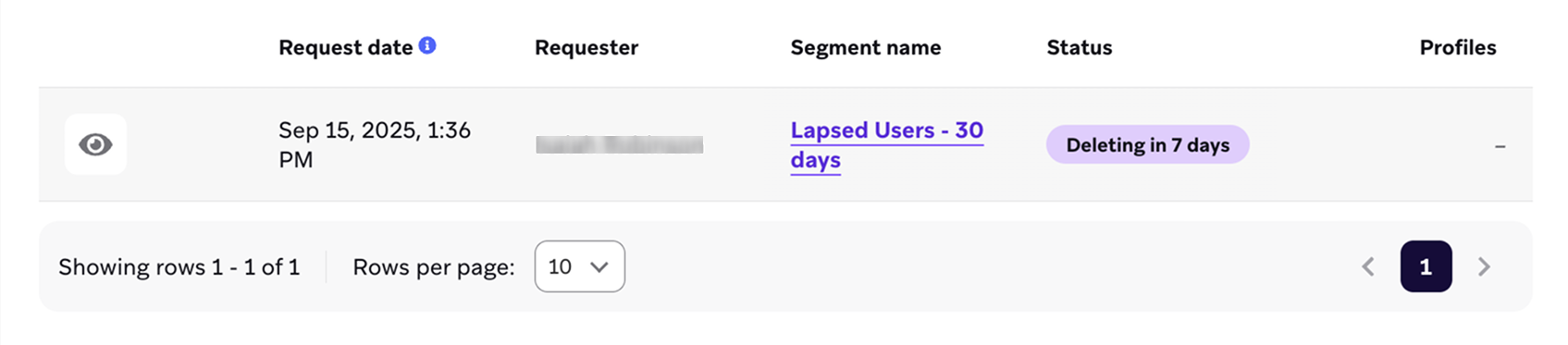
You have 7 days to cancel pending segment deletions. To cancel, go to Audience > Manage Audience, then select the Delete Users tab.
Next to a pending segment deletion, select to open the deletion record details.
In the deletion record details, select Cancel deletion.
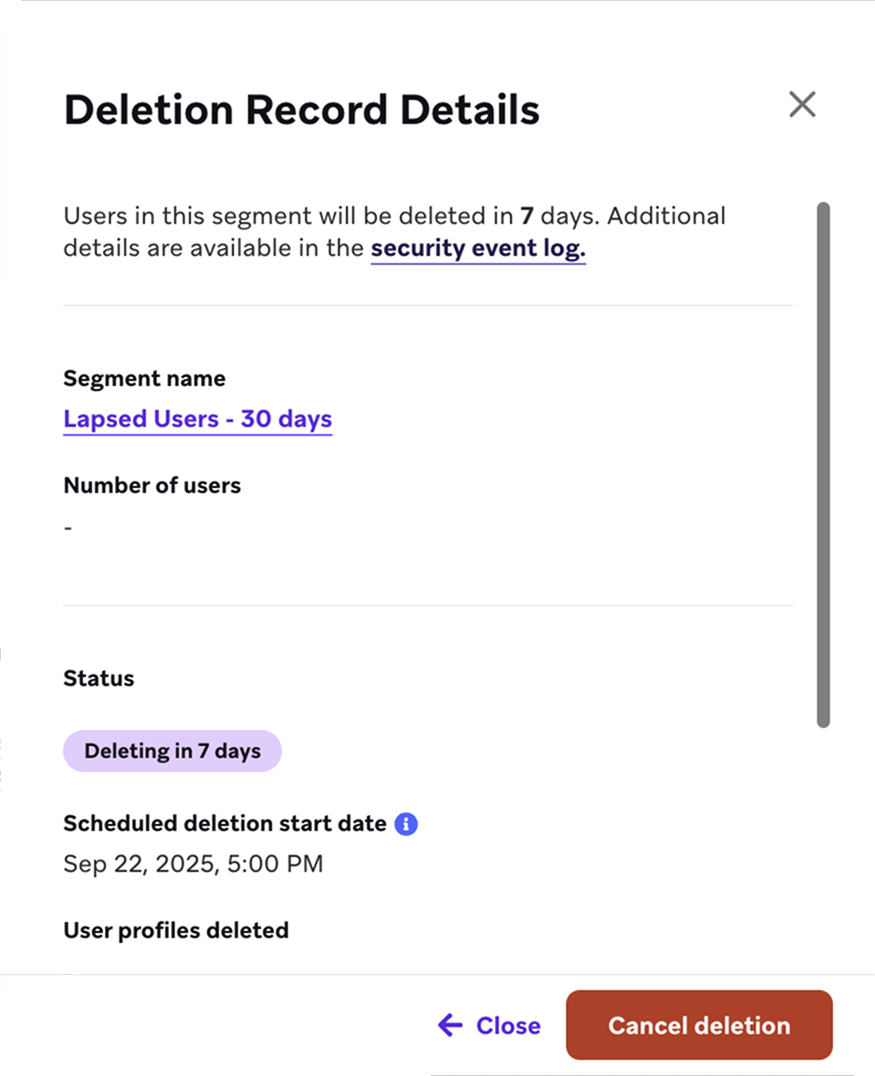
When bulk user deletion is in progress, you can cancel it at any time. However, any users already deleted before the cancellation cannot be restored.
Checking deletion status
You can check the status of a deletion using segment filters, the manage audience page, or security event reports.
Segment filters
When you request a segment of users to be deleted, a segment filter called Pending Deletion is automatically created. You can use it to:
- See the exact set of users tied to a specific deletion run date.
- Exclude those users from Campaigns so they don’t receive messages before removal.
- Export the list if you need it for compliance or record-keeping.
Manage audience
To get the list of exact users who will be deleted, use the Pending Deletion segment filter instead.
Go to Audience > Manage Audience, then select the Delete Users tab.
On this page, you can find the following general information for all current and pending deletions:
| Field | Description |
|---|---|
| Request Date | The date the request was originally made. Use it with the Pending Deletion filter to get the list of profiles pending deletion. |
| Requester | The user who initiated the deletion request. |
| Segment Name | The name of the segment used to select the users pending deletion. |
| Status | Shows whether the deletion request is pending, in progress, or complete. |
For more details about a specific request, select to show the deletion record details. Here you can also cancel pending segment deletions.
Security event report
You can also check the status of previous deletions by downloading a security event report. For more information, see Security settings.
Frequently asked questions
Can I delete segments with more than 100 million users?
No. You cannot delete segments with more than 100 million users. If you need help deleting a segment of this size, contact Braze Support.
It looks like I am not able to delete 100 million users and am limited to deleting only 10 million. Is this a bug?
No, this is not a bug. Certain customers are limited in the number of users they can delete during the early access (EA) program.
As the EA program progresses, this capacity is designed to increase until all customers can delete up to 100 million users.
If you want to increase this capacity, contact your Braze account manager. Requests are granted at the discretion of the product team.
Does automated user merging affect user deletion?
If a scheduled merge includes user profiles pending deletion, Braze skips those profiles and does not merge them. To merge these profiles, you must remove them from deletion.
What happens to data sent to users pending deletion?
Data sent from external systems or SDKs is still accepted, but the users will be deleted as scheduled regardless of activity.
Do Canvases and Campaigns trigger for users pending deletion?
Yes. However, you can add a segment inclusion filter to exclude all users with the Pending Deletion segment filter.
Can I recover deleted user profiles?
Deleting individual users are permanent.
You can cancel segment deletions within the first 7 days after. However, any users already deleted before cancelling cannot be restored.
 Edit this page on GitHub